Getting started
Chapter 1 · Getting started · Lesson 6 · 1 min
Screener
Browse every market in one table, open a ready-made board for any of them, and send it to a workspace.
Screener in the Pro header is one big table of every market, with live prices, sorting and filters. It's the place to find what to trade before you build a board.
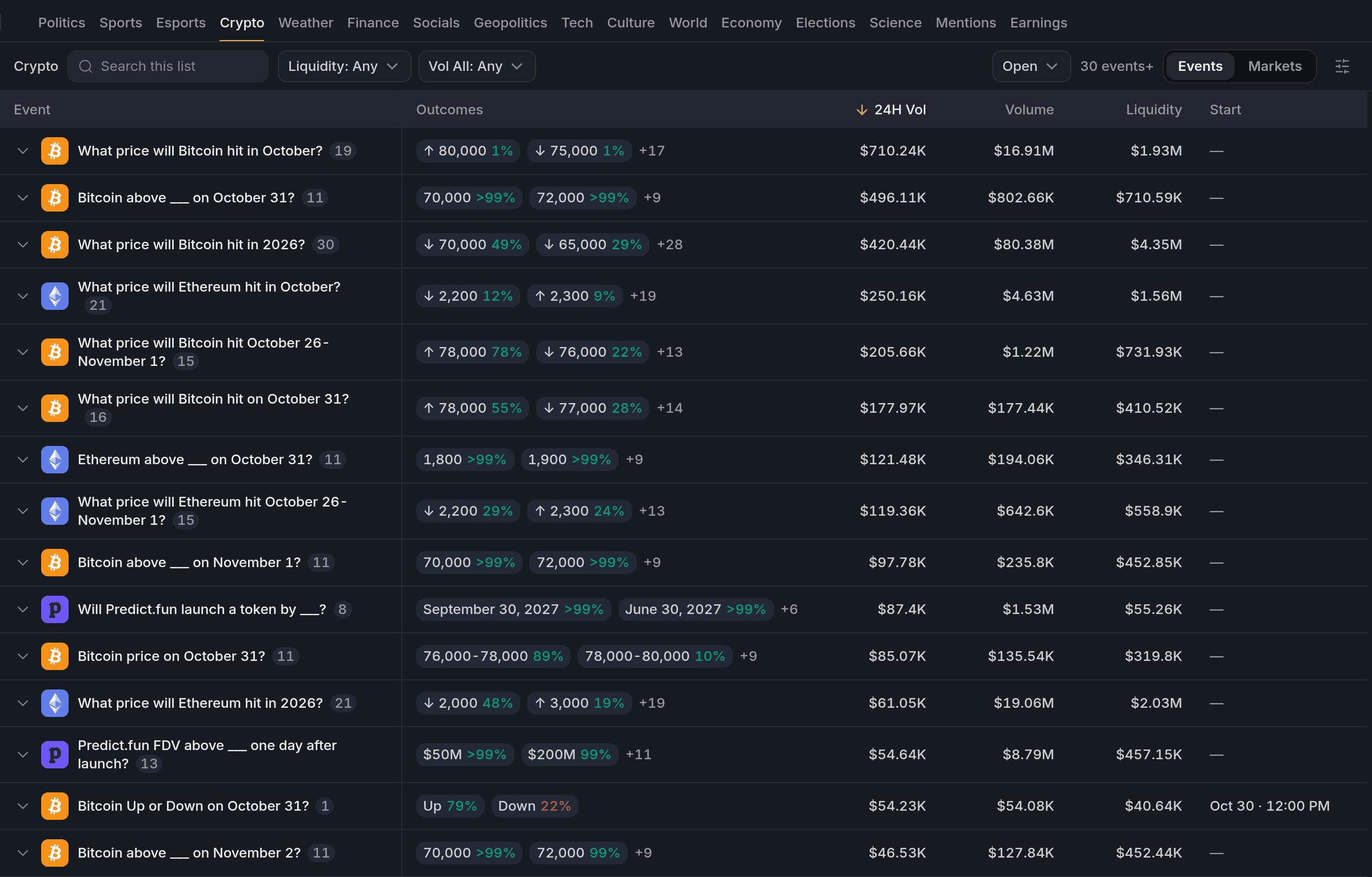
- 124H Vol
- 2Filter: Crypto
The market window
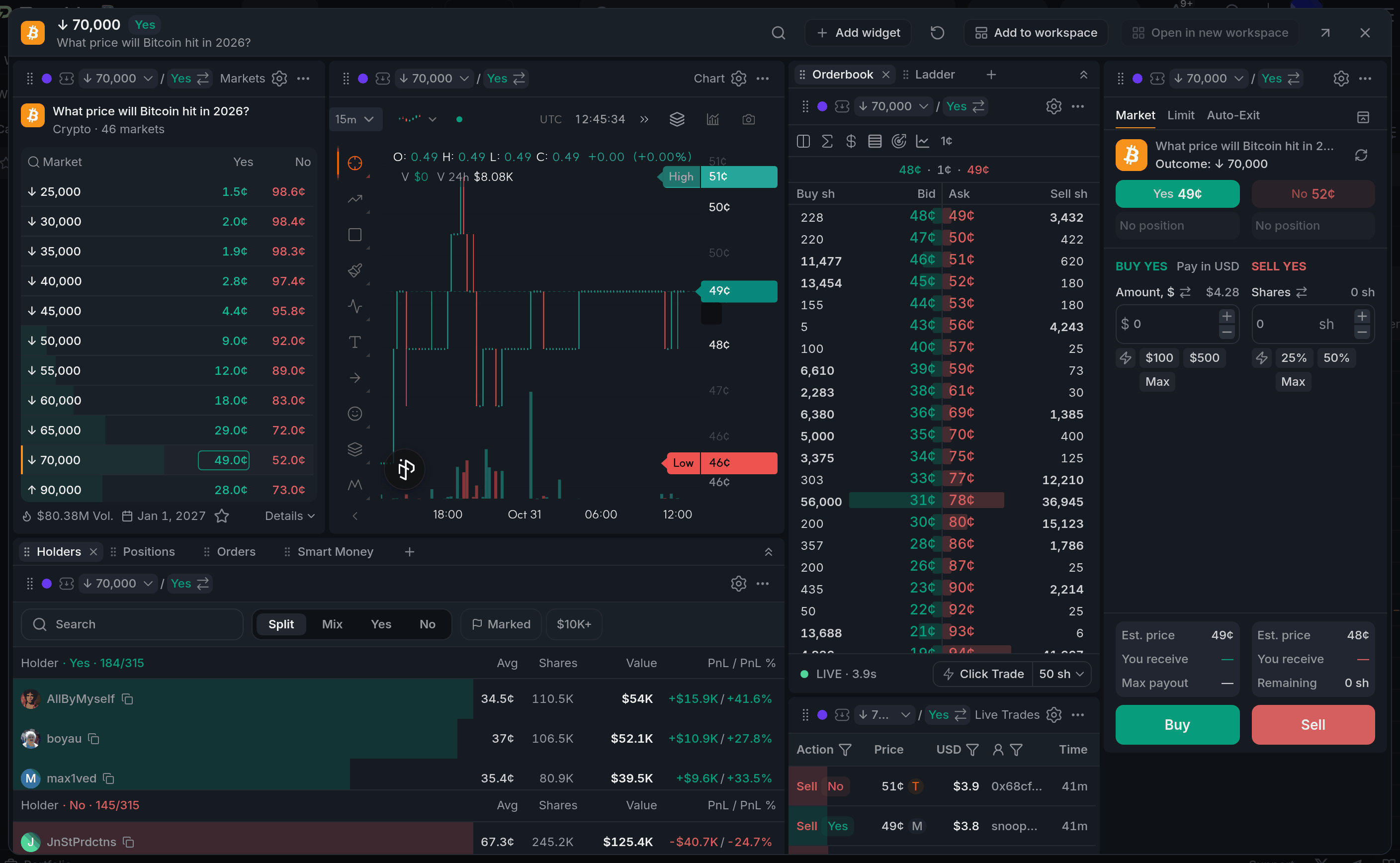
Click a market to open a ready-made board just for it: chart, orderbook, trades, betslip and holders. Your workspaces stay untouched.
Sending it to a workspace
Add to workspace sends the market to a colour group in one of your workspaces, and every widget in that colour switches to it.
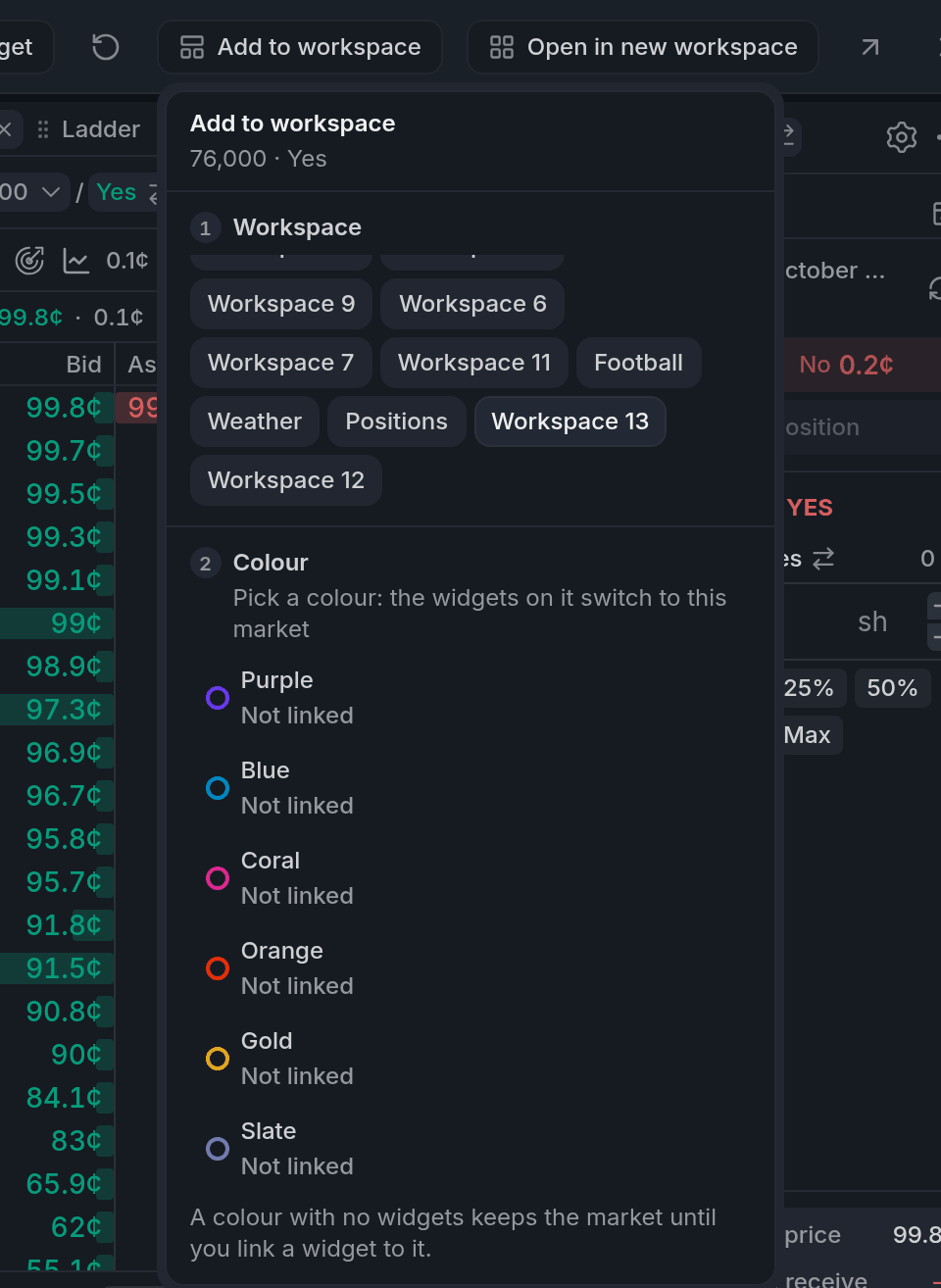
- 1Pick a workspace
- 2Pick the colour to switch
That's it for the basics. From here on, each lesson digs into one widget.
Finish reading to complete this lesson