Chapter 1 · Getting started · Lesson 7 · 3 min
Templates
Start a board from a ready layout, save your own, and share layouts with other traders.
A templateTemplateA saved board: its widgets, layout, colours and settings, without markets. Start one from Preddy's, your own or the community's. is a saved board: its widgets, where they sit, their colours and settings. Markets don't come along, so one template works for any match, city or coin.
Starting a board
An empty workspace opens on Set up your workspace. Pick a market first: search for it, or click one you opened recently. Then pick a layout, and it opens on that market, ready to trade. A tab you haven't renamed takes the market's name.
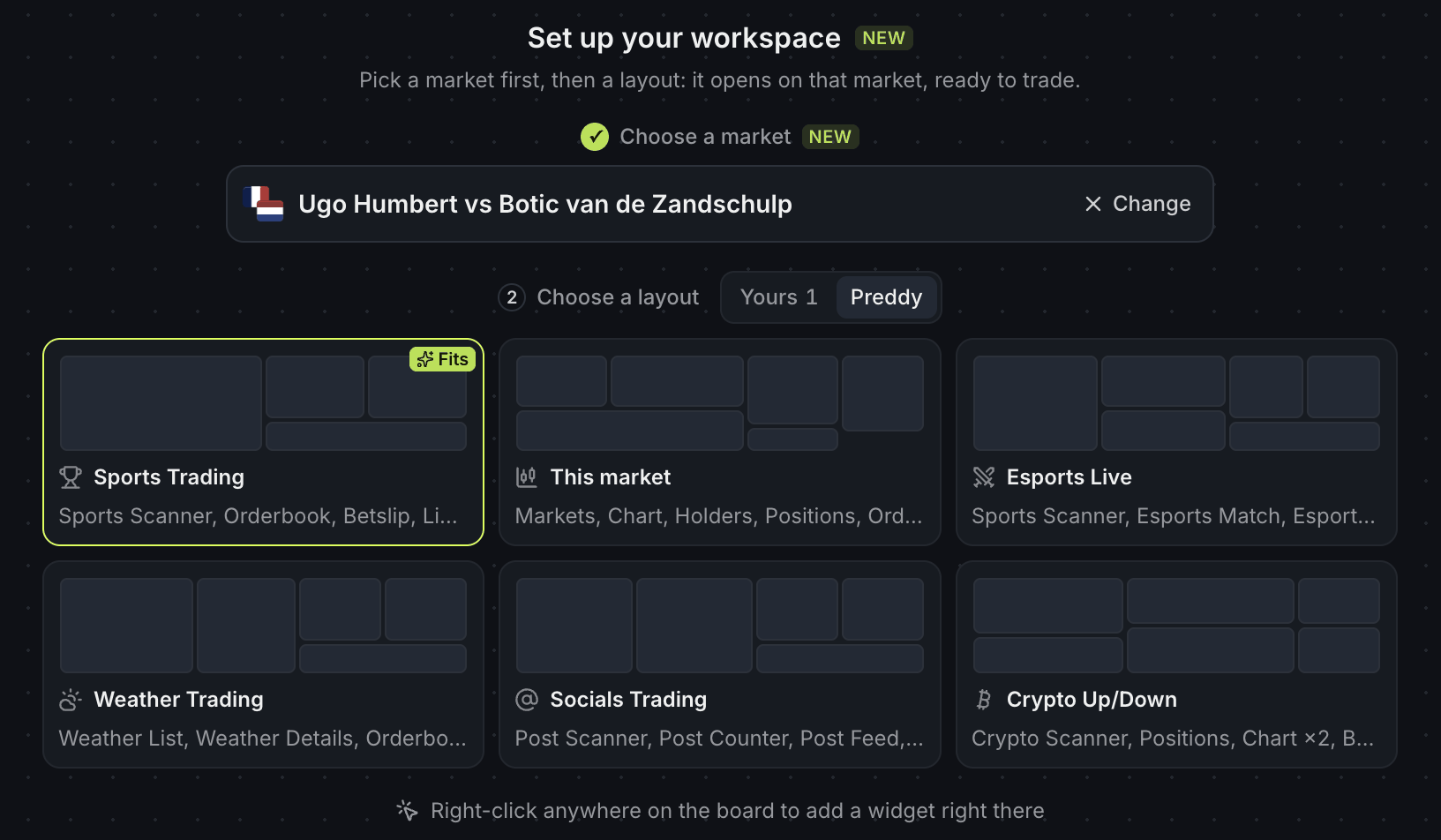
- 1Your market: Change picks another
- 2Your templates or Preddy's
- 3Fits: made for this market
Layouts sit on three shelves: Yours, Preddy and Community. The one that suits your market, like Sports Trading for a football match, gets a Fits badge and goes first. Skip the market to start a layout without one, start from Empty workspace, or add a single widget from the row below. Changed your mind? Undo in the toast brings the empty board back.
The same templates live in Add widget under Templates, with a Recent shelf for the ones you used last. Pick one, then Replace current or New workspace.
Saving your own
Built a board you like? Choose Save as template in the tab's ⋮ menu, name it and press Save. It lands on Yours, waiting on any computer you log in from. Tweaked the board since? Pick the template in Templates and press Replace with the current board.
Sharing
A template is yours alone until you share it. Turn on Share this template while saving, or pick it later and press Sharing:
| Option | Who can open it |
|---|---|
| Only me | Nobody else |
| Anyone with the link | Whoever you send the link to. It isn't listed in the library or search |
| Public | Any Pro trader, in the community library |
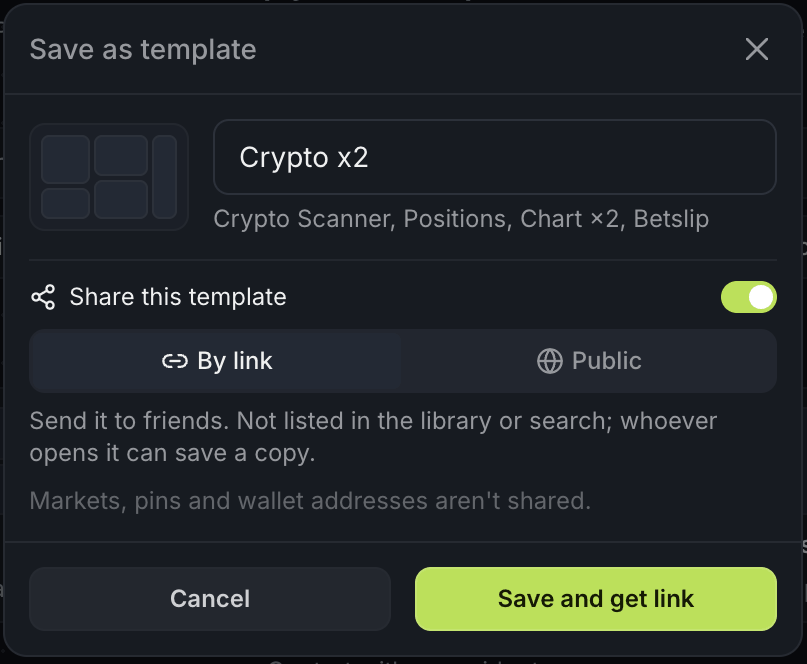
- 1Share this template
- 2By link or Public
- 3Saves it and copies the link
The link is copied for you as soon as you share. Markets, pins and wallet addresses aren't shared.
Got a link from someone? It opens a preview of the board. Press Open in a new workspace to use it, or Save to my templates to keep a copy. Your copy is yours to edit; the original stays as it is.
The community library
In Add widget, open Templates, then Community. Sort by Popular or New, and narrow it down by topic. Each card shows its author and how many traders have started a board from it. Search at the top of the picker finds community templates by name too.
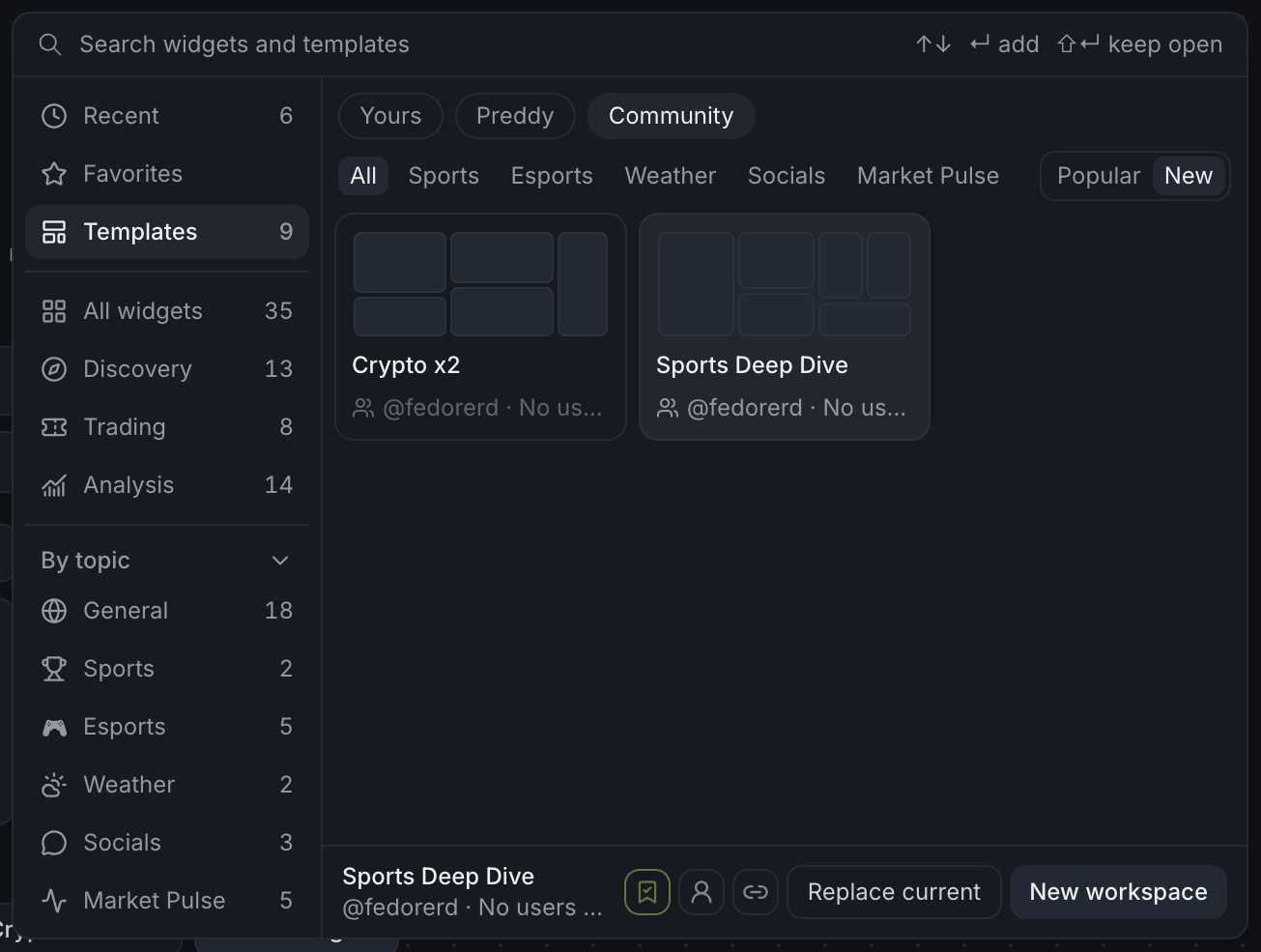
- 1The Community shelf
- 2Narrow it by topic
- 3Popular or New
- 4Author and how many use it
- 5Save, more by this author, copy link
Found a good one? Open it right away, or press Save to my templates to keep your own copy. Like someone's setups? More from @name shows everything that trader has published.
Finish reading to complete this lesson
Extras
Managing your templates
Pick one of yours in Templates to see its tools: Rename, Replace with the current board and Sharing. The bin icon on the card deletes it after asking Delete?. A shared template asks Delete everywhere? instead, since its link stops working too.
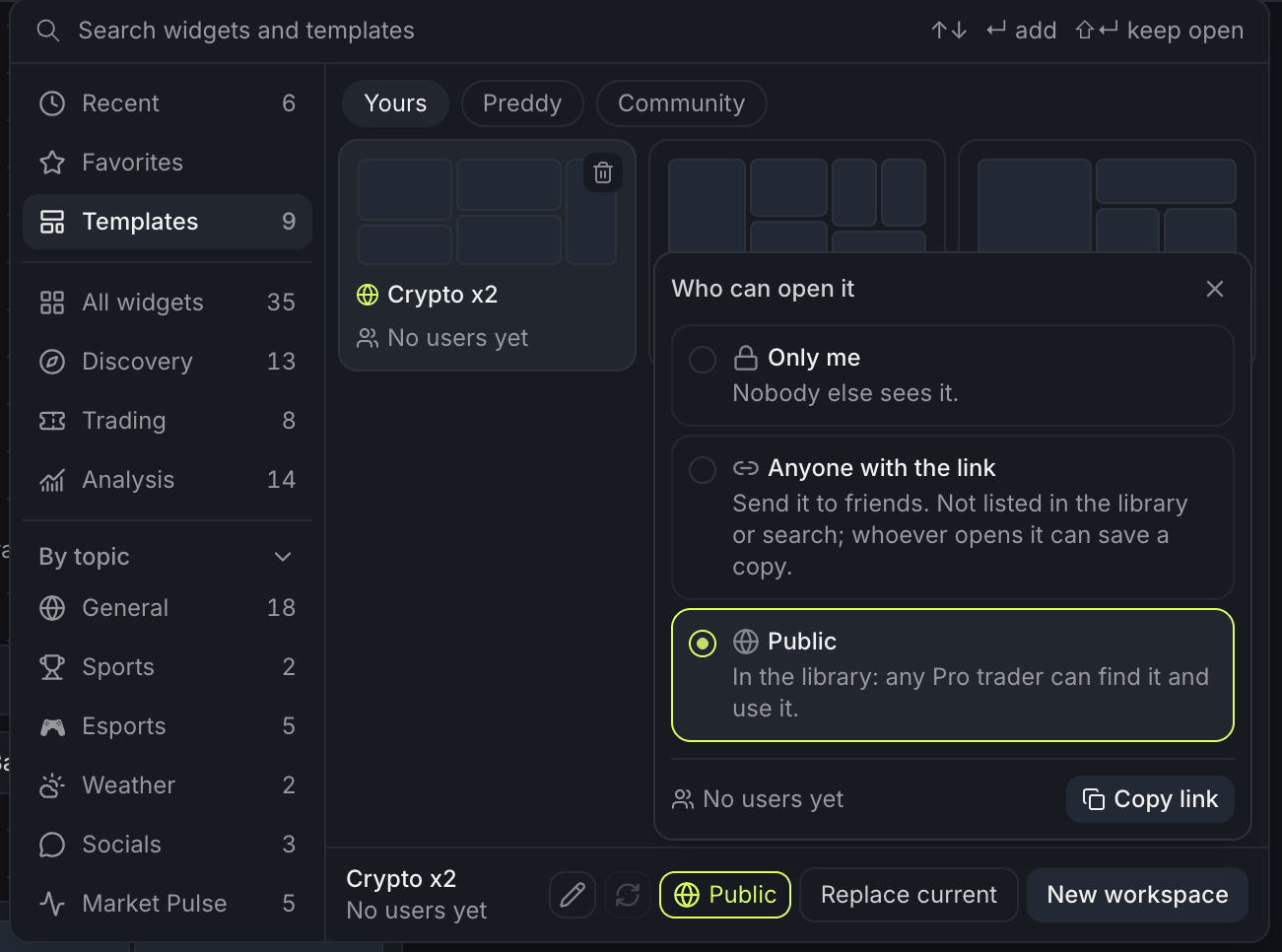
- 1Rename, replace with this board, sharing
- 2Who can open it
- 3Copy link
Stopping sharing
Switching a shared template back to Only me asks first: links you've sent stop working. Copies people already saved stay theirs. Press Stop sharing to confirm.
This market
Once you pick a market on the start screen, the Preddy shelf also offers This market: the board Screener opens for a market, arranged the way you last left it there. It's the pick when no other layout fits.
Reporting a template
Something wrong with a community template? Pick it and press Report, then choose a reason. It disappears from your library.