Chapter 1 · Getting started · Lesson 5 · 1 min
Colour groups
Link widgets with a colour so they follow the same market, and run several markets side by side.
Colour groupsColour groupA colour that links widgets: every widget in the same colour shows the same market. are the heart of Pro. Give widgets the same colour and they always show the same market. You get six colours: Purple, Blue, Coral, Orange, Gold and Slate.
Put a Chart, an Orderbook and a Betslip in Purple, and picking a market in any of them switches all three. Add a second set in Blue to watch another market side by side.
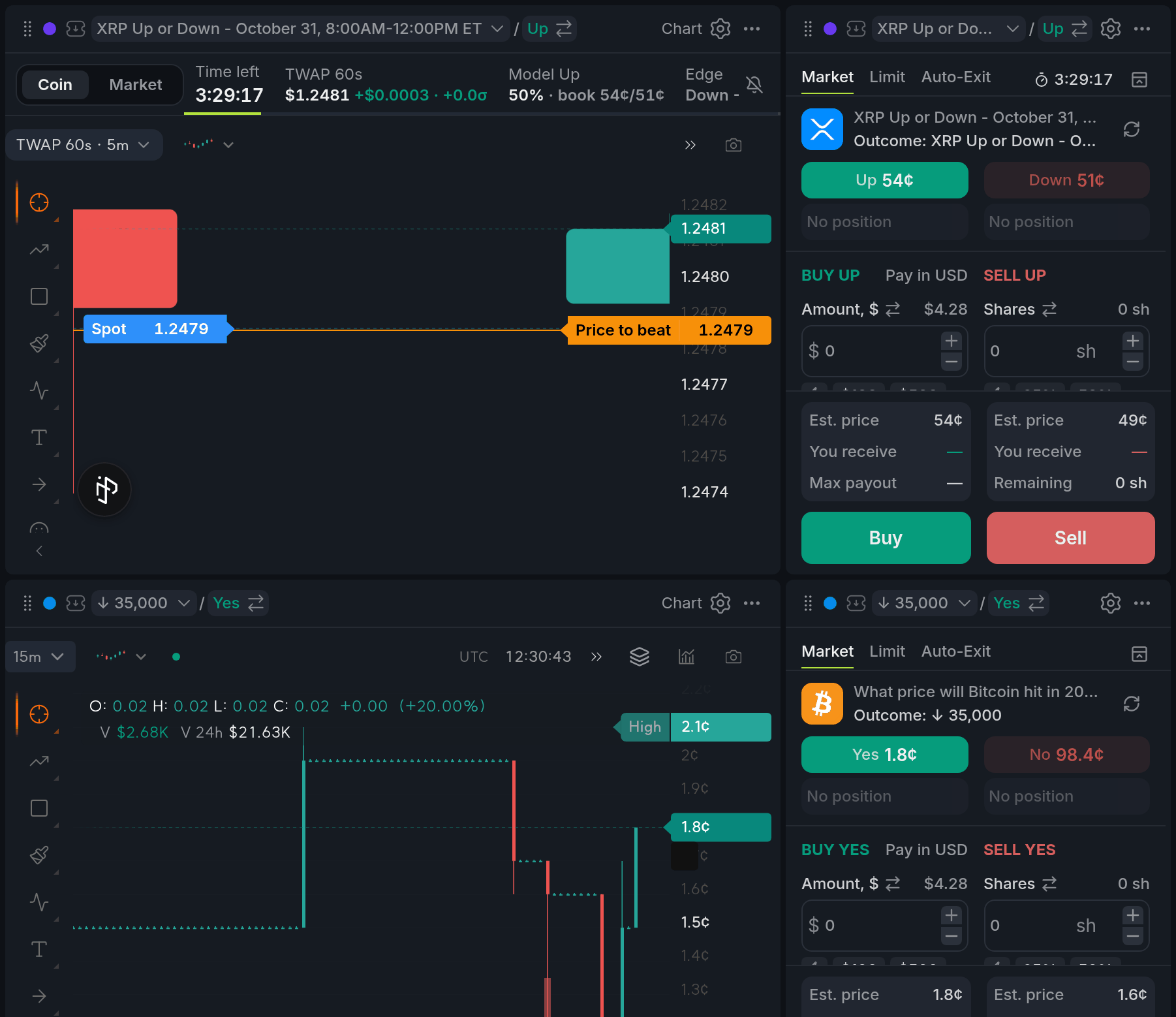
- 1Purple set: XRP Up or Down
- 2Blue set: Bitcoin in 2026
Setting a group's market
- Search in the header. The chip at the top of the panel shows which colour you're picking for; click it to pick another.
- Select market in a widget's header.
- Click a market in a scanner, like Sports Scanner, Crypto Scanner, Movers or Watchlist. Everything in the scanner's colour follows along.
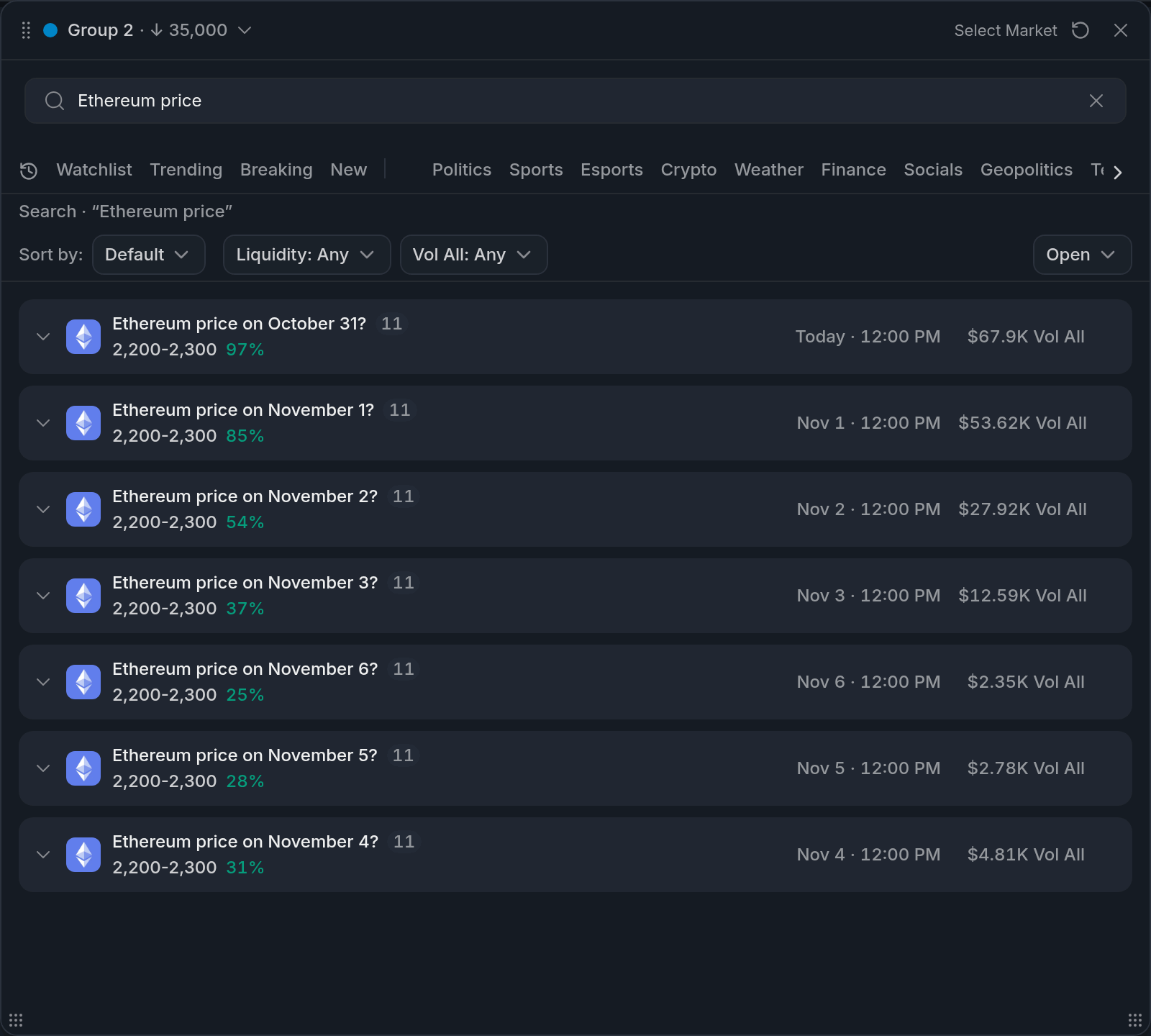
- 1Colour dot: Group 2 (Blue)
- 2Search results
The panel works from the keyboard: from the search box, ↑ and ↓ move through events and markets, Enter opens an event or picks a market. Sort, filters and a search of the current list share one row above it. Each filter or sort you set gets its own ×, and Reset clears them all. Live games carry the same live dot and score as in the Sports Scanner.
Changing a widget's colour
Click the colour dot in the widget's header:
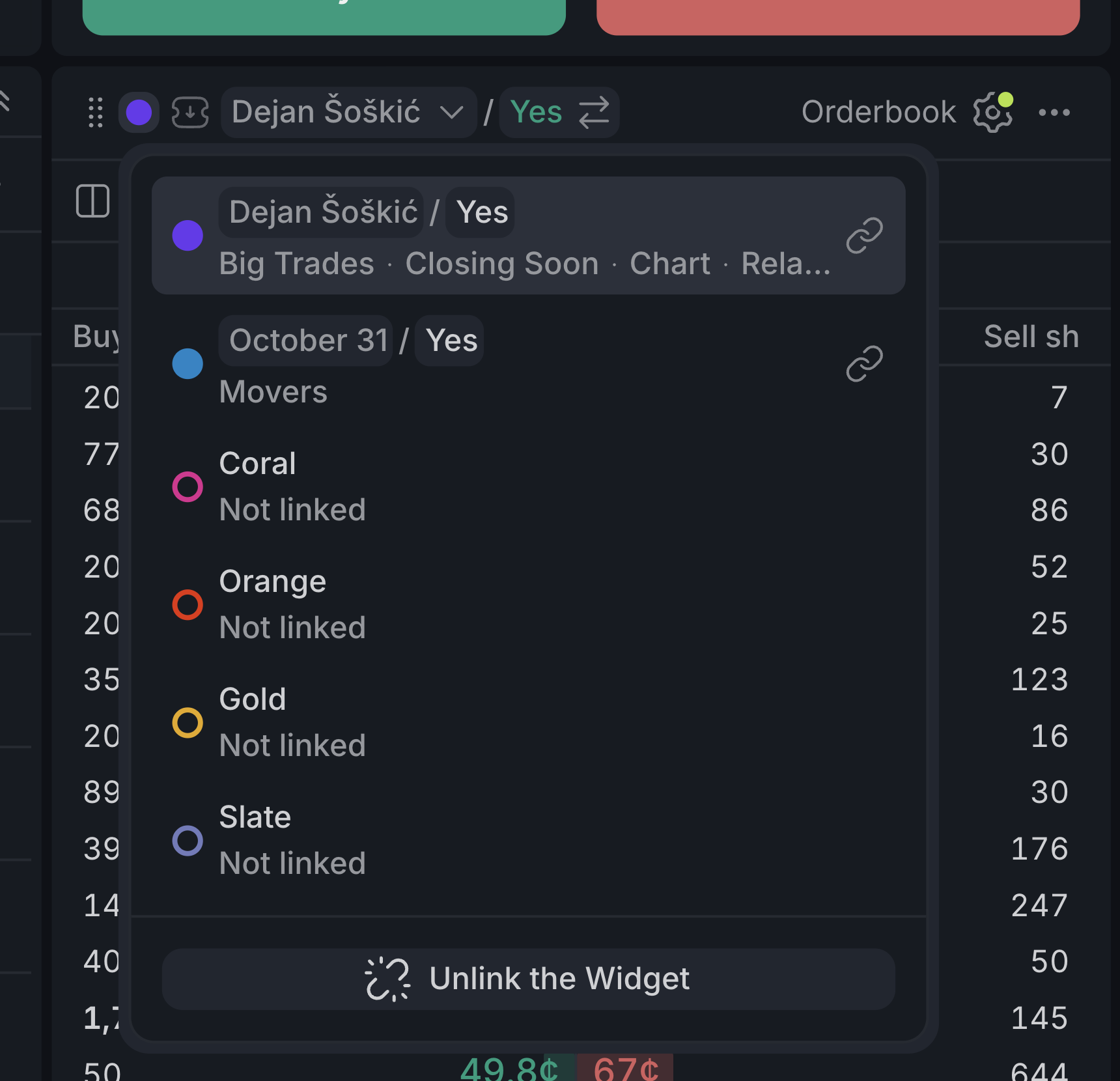
- 1Your widget's colour, with its market and the widgets in it
- 2Another colour in use: click to move the widget there and switch to its market
- 3A free colour: start a new group with this widget's market
- 4Unlink the Widget: leave the group and keep the current market
The widget menu has the same option, called Unlink from color, keep market. Once a colour has no widgets left, it's free to use again.
Widgets talk to each other
Widgets in the same colour share more than the market. Click a price in the Orderbook and it lands in the Betslip as a limit priceLimit orderAn order to buy or sell at your price or better. Whatever doesn't fill right away waits in the book.. Each widget's lesson explains what it passes along.
Finish reading to complete this lesson