Chapter 1 · Getting started · Lesson 2 · 1 min
Workspaces
Keep a separate board for each job, and start new ones from a template.
A workspaceWorkspaceOne Pro board with its own widgets and layout. Keep several, one per job. is one board with its own widgets and layout. Keep one per job, like browser tabs: live football in one, weather markets in another, your positions in a third.
Managing workspaces
| Action | How |
|---|---|
| Create | + next to the tabs |
| Switch / reorder | Click a tab / drag it |
| Rename, Duplicate, Save as template, Clear, Delete | The ⋮ menu on a tab. Clear removes every widget; your last workspace can't be deleted |
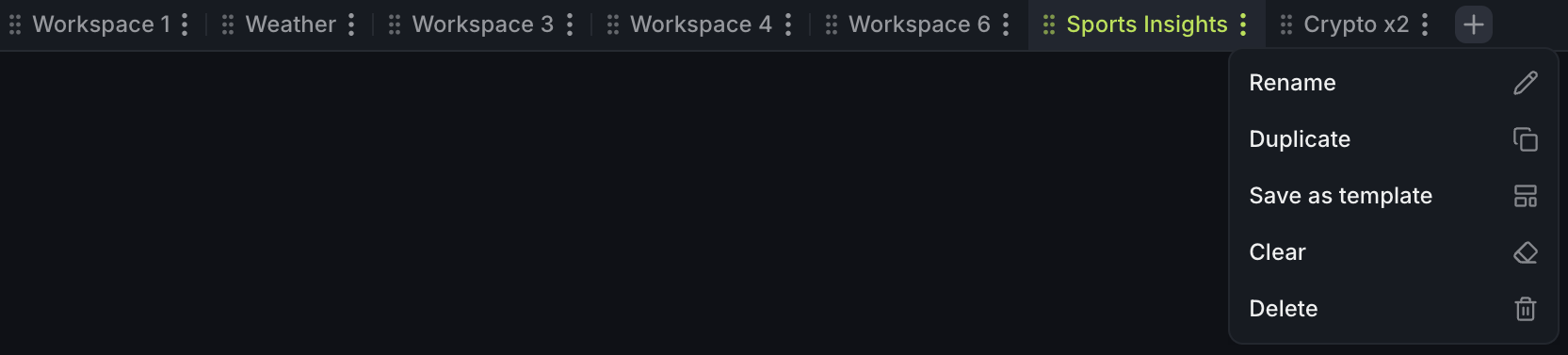
- 1A workspace tab
- 2The ⋮ menu: Rename, Duplicate, Save as template, Clear, Delete
Everything saves to your account as you go, so your workspaces are waiting on any computer you log in from. You can have up to 12 workspaces, with 40 widgets in each.
Start from a template
A new workspace opens on a start screen: pick a market, then a ready-made layout, and you're set to trade. Built a board you like? Save it as a templateTemplateA saved board: its widgets, layout, colours and settings, without markets. Start one from Preddy's, your own or the community's. and start from it again any time. Templates covers saving, sharing and the community library.
Finish reading to complete this lesson