Chapter 2 · Discovery · Lesson 2 · 4 min
Crypto Scanner
Every crypto Up/Down window on one table, with time left, distance to the price to beat, a model and the edge.
The Crypto Scanner watches the short Up/Down markets on crypto: will a coin end this 5-minute, 15-minute, 1-hour or 4-hour window above its price to beatPrice to beatThe price an Up/Down window opened at. Up wins if the window settles above it, Down if below.? Each coin and window length gets a row, so you can see which window is worth trading right now.
What you see
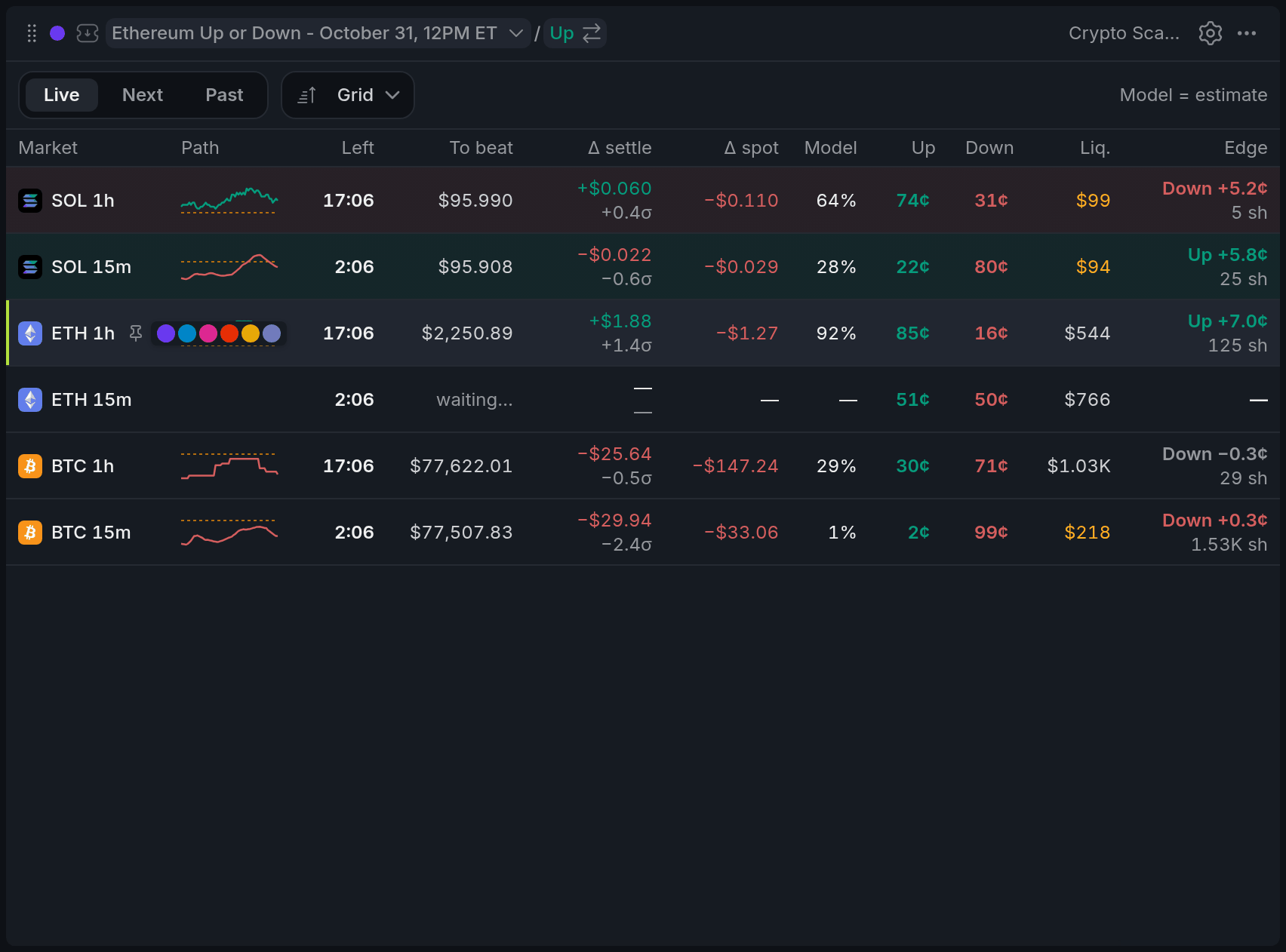
- 1Left
- 2Δ settle
- 3Up ask / Down ask
- 4Edge
| Column | What it tells you |
|---|---|
| To beat | The price the window opened at. Up wins if it settles above. |
| Δ settle | How far the settling price is from the price to beat. The σ under it measures that gap against how much the coin usually moves before the close. |
| Model | The model's chance of Up, from recent volatility, time left and that gap. |
| Edge | The model minus the best askAskA resting order to sell. The best ask is the lowest price any seller will accept right now. on the better side, with the shares at that ask. |
For the first 30 seconds of a new window, the timer also shows how the last one settled.
Model and Edge are estimates, not market prices, and Edge leaves out fees. A positive edge is the model's opinion, not a sure profit.
Using it
Pick a window to trade
Click a row and that window becomes your colour's market. Click an Up or Down price and it also puts a limitLimit orderAn order to buy or sell at your price or better. Whatever doesn't fill right away waits in the book. buy at that ask into the Betslip in the same colour. Nothing is sent until you set an amount and send it from there.
To send a row to another colour, hover it and click a colour dot.
Live, Next and Past
Live shows the windows trading now, Next the ones after them, and Past goes back 1 to 24 windows to show how a series has been settling.
Sort, pin and alert
Sort by Grid, Edge or Ending, and pin a row to keep it on top.
When a row's edge reaches 5¢, it's tinted in that side's colour. Change the threshold with Edge alert from in settings.
With other widgets
- A click here switches the Chart, Betslip, Orderbook and Ladder in the scanner's colour. The bar and dots on a row show which colour groups have it open.
- The Board settings apply to every crypto widget on the board, including when the Betslip and Ladder stop taking orders before the close.
Tips
- The Crypto Up/Down template pairs this scanner with Positions and two chart-and-betslip pairs, for watching two windows at once.
- Trading the same coin window after window? Turn on Auto-switch markets and your colour group moves to the new window as each one ends.
- On a narrow widget, pick Minimal on the Columns tab: Left, Δ settle, Up, Down and Edge.
Finish reading to complete this lesson
Extras
Keyboard and sorting
- ↑/↓ move between rows, and 1–6 send the focused row to that colour group.
- Pick the same sort again to flip its direction.
- Under Edge, rows only move when the edge really changes, so the table doesn't reshuffle on every tick.
- Next counts down to each window's start instead of its close.
Settings
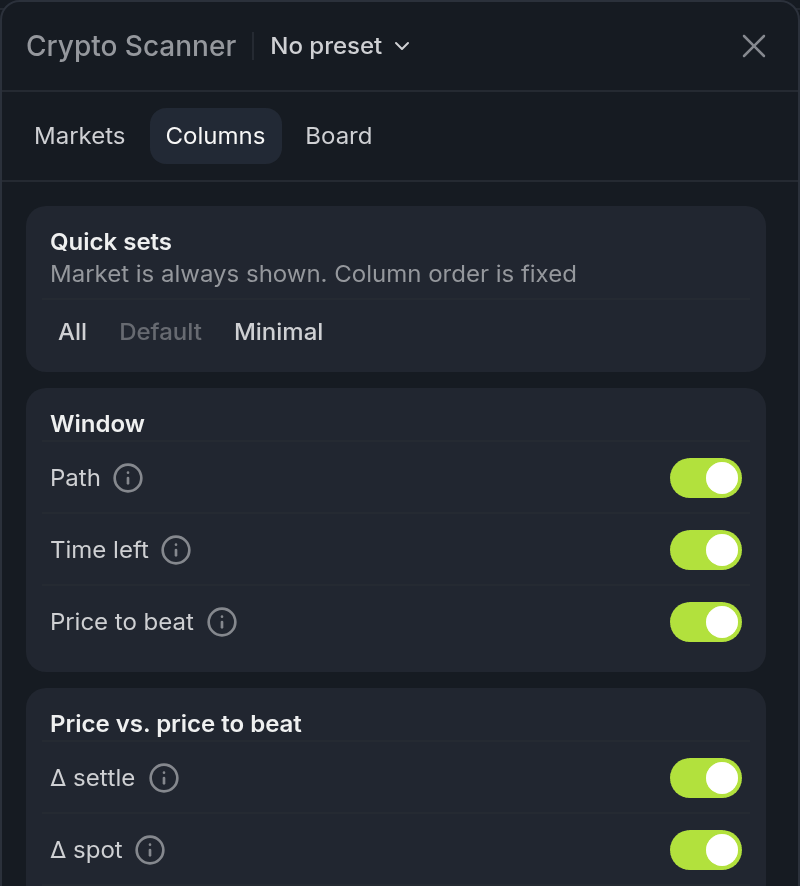
- 1Quick sets: All, Default, Minimal
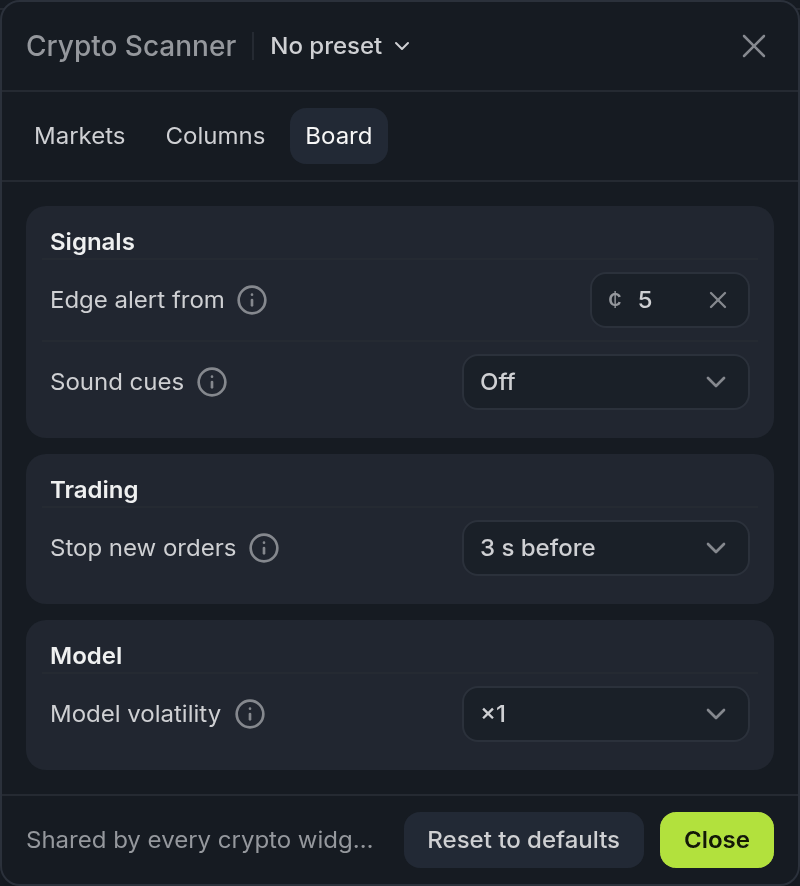
- 1Edge alert from
- 2Stop new orders
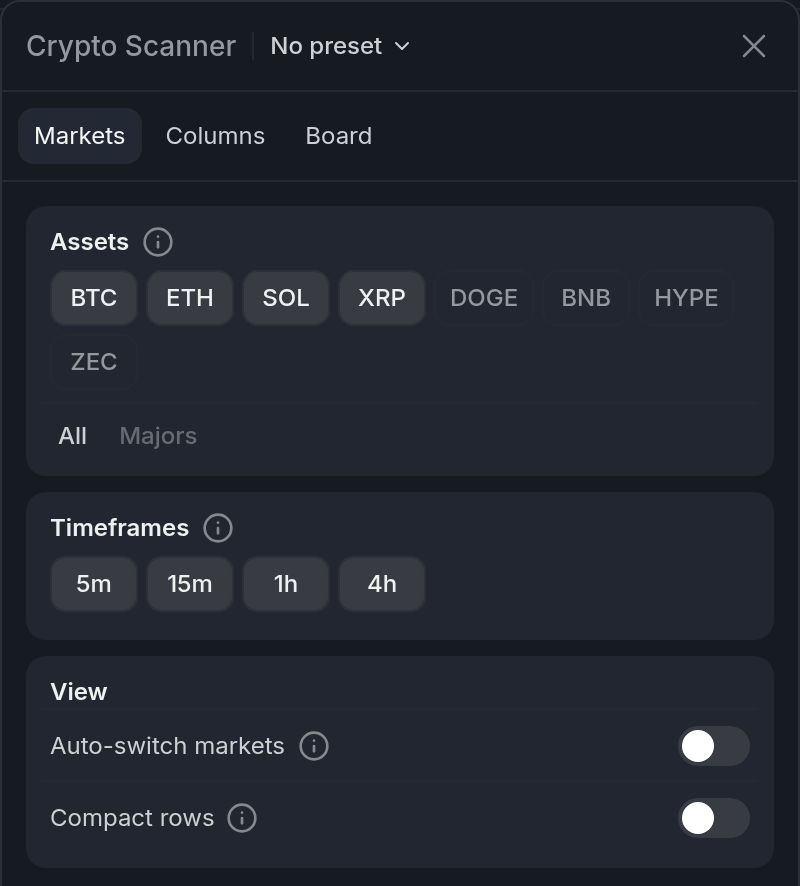
The settings come in three tabs. Markets and Columns belong to this widget. Board is shared by every crypto widget on the board.
Markets
| Setting | What it does |
|---|---|
| Assets | The coins shown as rows: BTC, ETH, SOL, XRP, DOGE, BNB, HYPE and ZEC. Majors picks the first four. |
| Timeframes | The window lengths: 5m, 15m, 1h and 4h. Only the pairs that exist get a row. |
| Auto-switch markets | When a window ends, its colour group moves on to the new live window. Works for every group while this scanner is on the board. Off by default. |
| Compact rows | One line per row: hides σ, the shares at the ask and the last result. |
Columns
Turn each column on or off, or pick a quick set: All, Default or Minimal. Market always shows and the order is fixed. These columns aren't covered above:
| Column | What it does |
|---|---|
| Δ spot | Chainlink spot minus the price to beat. Some windows settle on a time-averaged price, and spot moves first. |
| Liq. | Dollars resting within 5¢ of the best prices on Up. A highlighted figure (under $500) means a real-size order will push through several prices. |
| Path | A mini chart of the settling price since the open, against the price to beat (dashed). It starts from when you opened the board. |
| Δ Binance | Binance minus the price to beat. Off by default. Binance usually moves before Chainlink. |
Board
| Setting | What it does |
|---|---|
| Edge alert from | The edge, in cents, that tints scanner rows and plays a sound on charts. 5¢ by default. Empty turns it off. |
| Sound cues | Sounds on charts for the last 60, 30 and 10 seconds, the price crossing the price to beat, and the edge alert. Off (the default), With a position, or All windows. |
| Stop new orders | The Betslip and Ladder refuse new orders this close to the end of a window: 3 s before (the default), 10 s before, or After close. |
| Model volatility | A multiplier, ×1 (the default) to ×2, on the volatility the model uses. Raise it if the model looks more confident than the market. |