Chapter 2 · Discovery · Lesson 6 · 2 min
Movers
The markets whose price moved most in the last 24 hours. Spot news early and open any of them on your board.
Movers lists the markets whose price moved most over the last 24 hours, biggest move first. It answers "what's happening right now?": a sharp move usually means news.
What you see
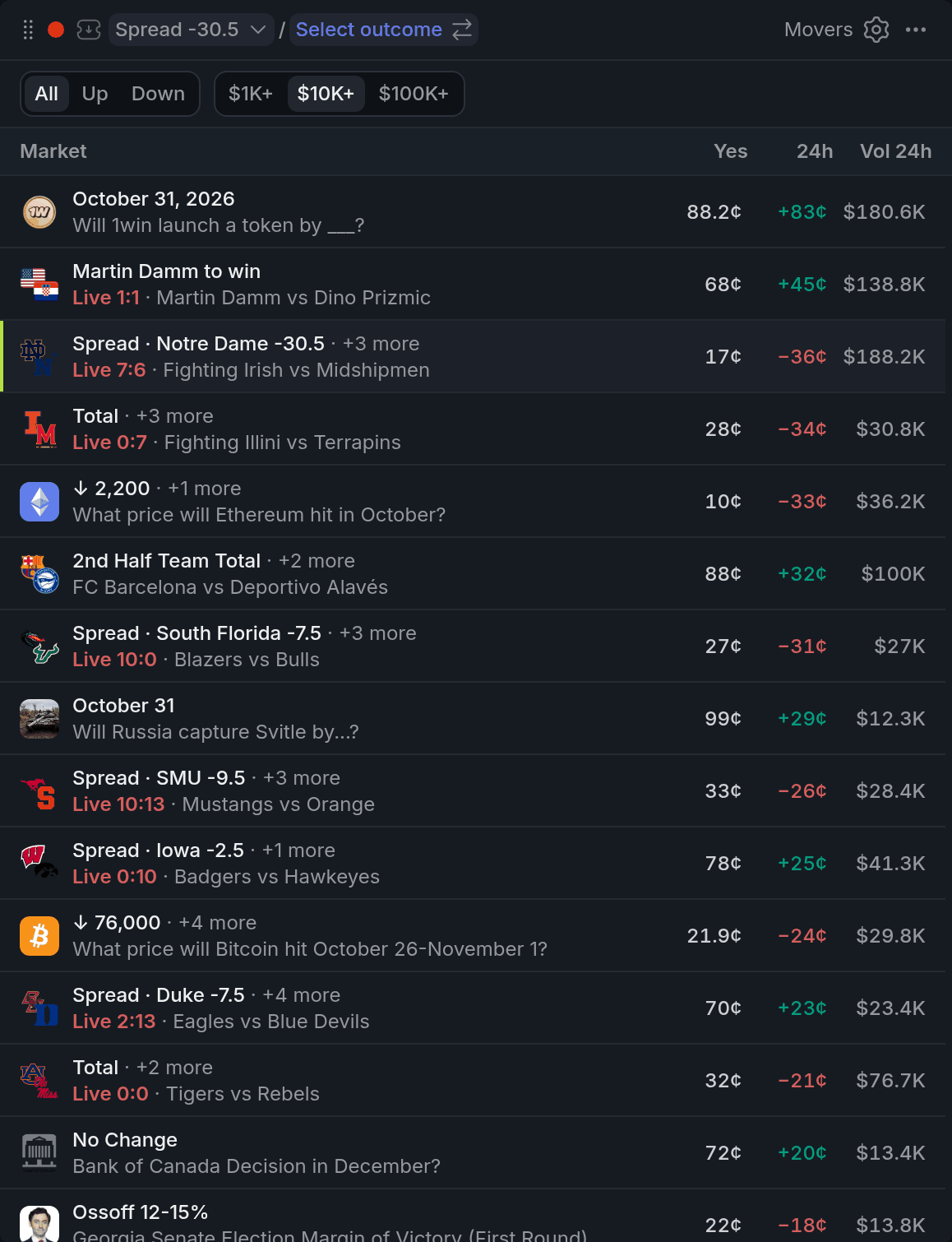
- 1All / Up / Down
- 2Volume chips
- 324h change
- 4+3 more
- 5Live
Each row shows the market, its Yes price now and the 24-hour change in cents, green up and red down, plus its 24-hour volume. A match being played is marked Live, since its price swings with every goal rather than with news.
A row stands for one event. When several markets of that event moved too, the strongest one shows, with "+2 more" next to it.
The list draws on the busiest and deepest markets and on breaking news, not on every market there is. It refreshes every minute. Markets priced under 1¢ or over 99¢ are left out, because a move there is the market settling, not news.
Using it
Filter the list
Pick All, Up or Down to see every move, only rises or only falls. The volume chips ($1K+, $10K+, $100K+) hide markets that traded less than that in 24 hours. $10K+ is the default, and it keeps thin markets, where one trade can swing the price, out of the way. Click a row to load it into your colour.
With other widgets
Tips
- Watching for news? Turn on Hide sports and esports in settings, so live matches don't crowd out the moves that matter.
- Pair Movers with Live Trades in the same colour: click a mover and see straight away who is pushing the price.
- The Market Discovery template puts Movers (with sports already hidden) next to Big Trades and Closing Soon, plus a chart, betslip and orderbook to trade what you find.
Finish reading to complete this lesson
Extras
Settings
| Setting | What it does |
|---|---|
| Hide sports and esports | Drops matches from the list. |
| Min move, ¢ | The smallest 24-hour move a row needs, in cents. 1¢ by default; 0 turns it off. |
| One row per event | Shows only the strongest market of each event, with the rest counted as "+N more". On by default. |
| Volume column | Shows or hides the 24-hour volume. |
| Dense rows | Shorter rows, so more of the list fits. |