Chapter 4 · Analysis · Lesson 1 · 4 min
Live Trades
Every trade on one market as it happens. Spot the big ones, filter the tape and look up who's trading.
Live Trades is the tape: every trade on one market as it happens, so you see who's buying, who's selling and how big. It shows one market, so link it to a colour group.
What you see
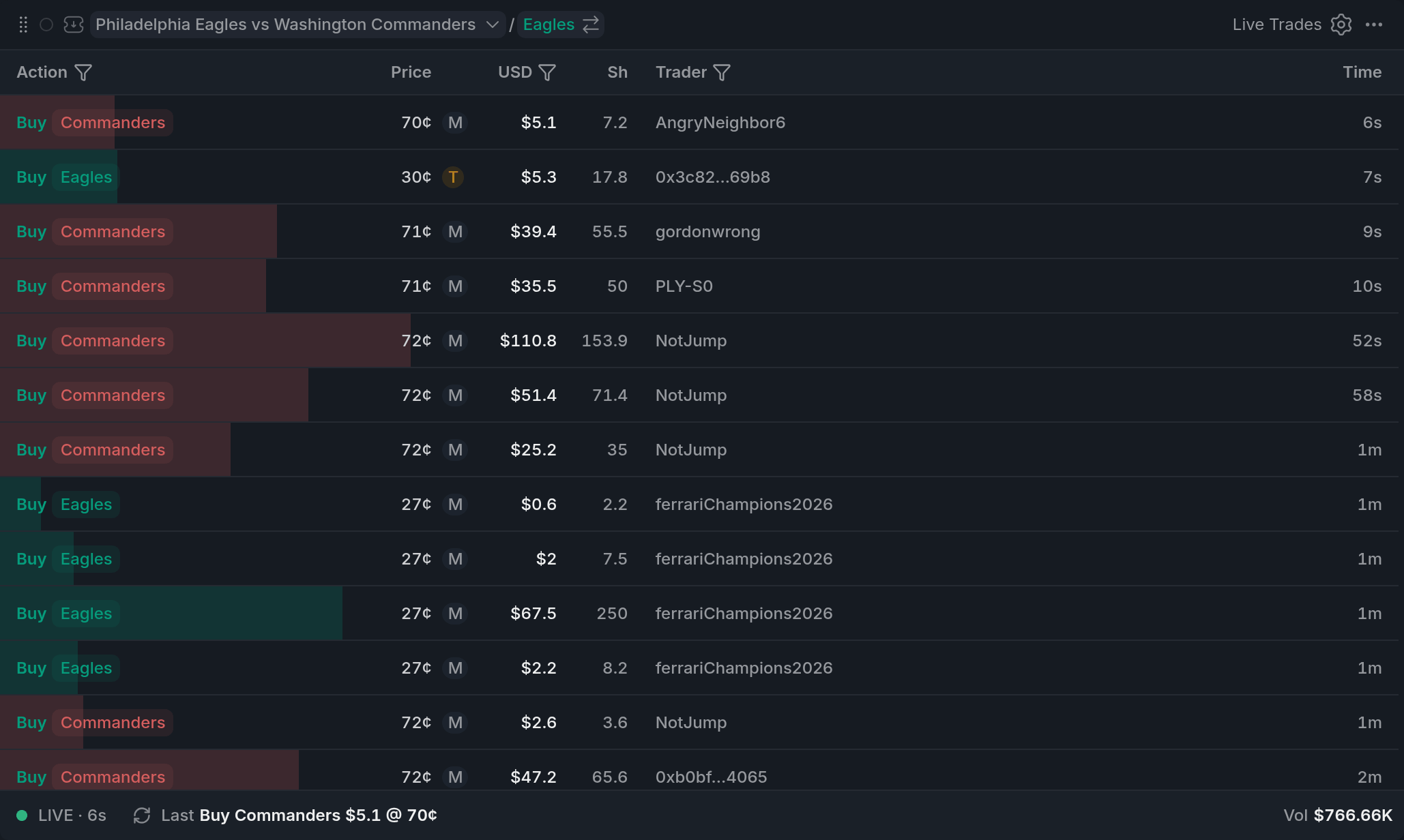
- 1M: maker, T: taker who crossed the spread
- 2Action, USD and Trader are filters
- 3LIVE: click or Space to pause
Each row is one trade: Buy or Sell, the outcome, the price, its value in dollars (USD), the shares, the trader and how long ago it happened.
Big trades stand out: from $10K a row is tinted in its side's colour, stronger from $50K, and the bar behind it compares the size with recent trades.
After the price, M (makerMakerThe side of a trade whose order was already resting in the book and got filled.) means the trader's resting order was hit, and T (takerTakerThe side of a trade that crossed the spread and took an order already in the book.) means they crossed the spread.
Traders you follow carry FOL, your own trades carry Me, and wallets you've marked get a coloured dot.
Using it
Filtering the tape
The Action, USD and Trader headers are filters. Action keeps only buys or sells, or one outcome. USD sets a minimum size. Trader finds a wallet or nickname, keeps only Followed, Marked or your own trades (Me), or wallets in your tags and folders. Hover a trade and its filter button keeps only that wallet. Active filters show as chips above the tape, and Clear drops them all.
Looking up a trader
Click a trader's name for a quick card of what they did on this market: money in and out on each outcome at their average price, what they hold now, and their last trade. Track follows them, Mark gives the wallet a nickname, tags or a folder right there (see Traders), and Only this trader filters the tape down to them.
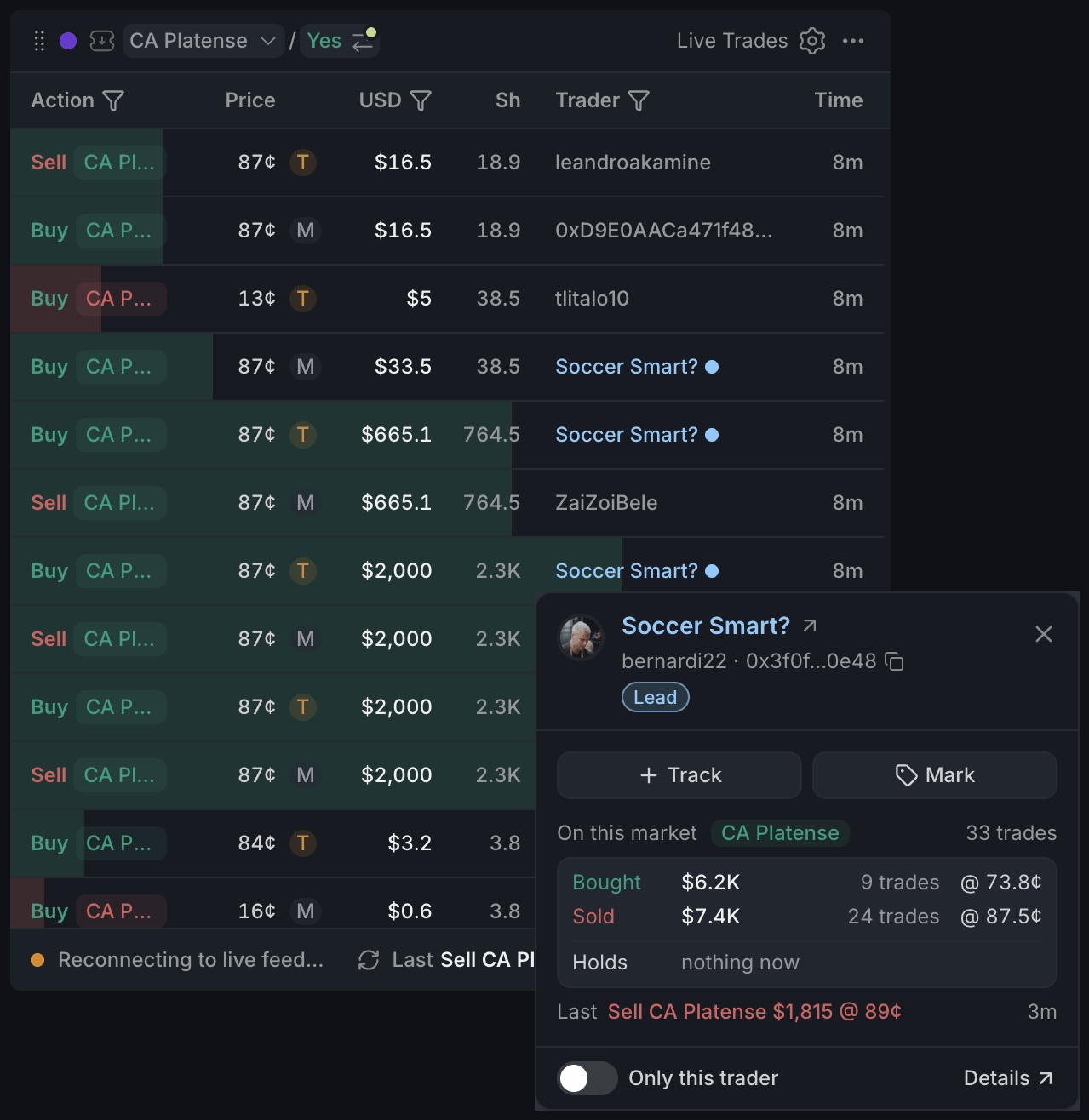
- 1Nickname, address and tags
- 2Track and Mark
- 3Bought, Sold and Holds on this market
- 4Only this trader filters the tape
- 5Details opens the trader window
Details opens the full trader window, with their position here and their whole profile. Press j or k to step to the next or previous wallet on the tape.
Pausing
Trades flying past too fast to read? Press Space, or click LIVE in the footer, to pause. Scrolled down? New trades won't push the list around: a button at the top counts them and takes you back.
With other widgets
- The tape always follows its colour's market.
- Click a market in the trader window's Profile tab and the whole colour switches to it.
- In Traders, open a folder or filter by tags and press Trades: every Live Trades on the workspace then shows only that folder's wallets.
- Follows and marks are shared across Pro: a wallet you mark here gets its dot in Holders, Holders Map, Smart Money and Big Trades too.
Tips
- Busy market? Set USD to $1K and the tape shows only the trades that move things.
- Put the tape next to the Orderbook in the same colour. The book shows what's waiting, the tape what actually traded.
- Mark the wallets you rate, then set Trader to Marked. You get a tape of just the people you watch.
- A run of T's on one side usually means someone is in a hurry.
Finish reading to complete this lesson
Extras
Searching for a trader
A full wallet address searches the whole history of the market. A nickname or part of an address only matches trades already loaded in the tape.
Copy the trader's address from the card, under their name.
Pick several tags or folders under Tags & folders and choose Any (wallets in at least one of them) or All (only wallets in every one).
A sound for big trades
Turn on Large trade sound in settings to hear a click for every new trade from $25K. Set the amount in Sound at.
A narrow tape
When the widget gets narrow, columns step aside on their own: shares go first, then the trader. Widen it and they come back.
Settings
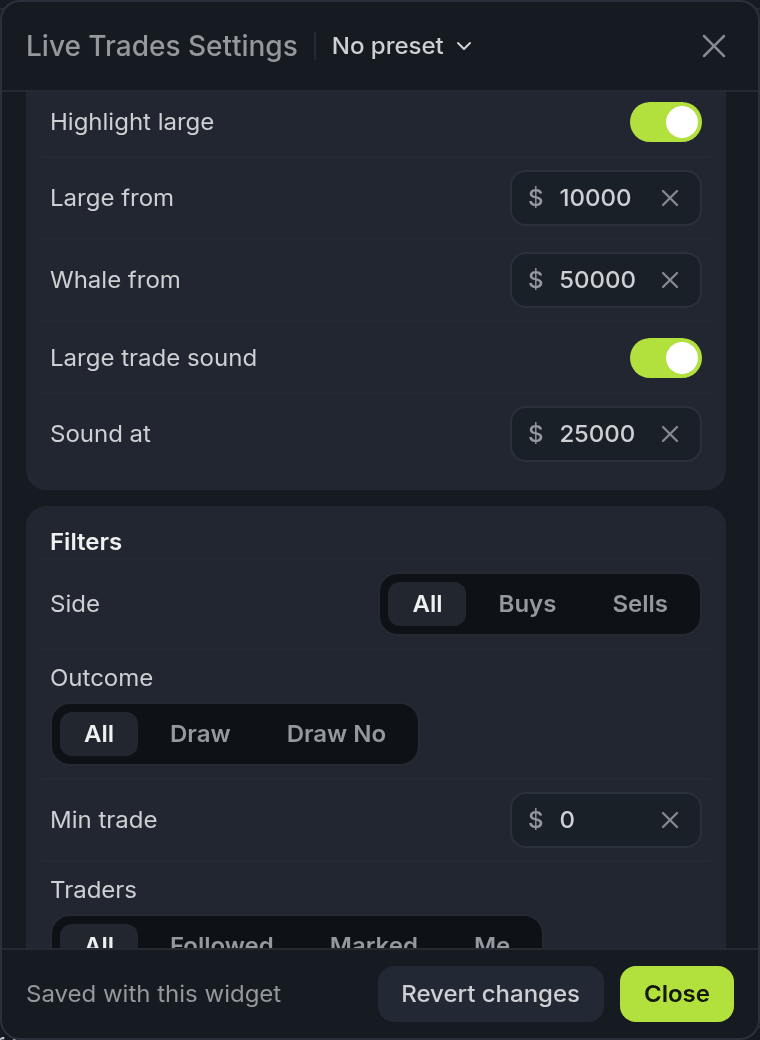
- 1Large from and Whale from
- 2Large trade sound and Sound at
| Setting | What it does |
|---|---|
| Table header | Shows the column headers. Hide it and change filters in the Filters section below instead. |
| Color size highlights | All the colour on rows: the size tints and bars. Off gives a plain tape. |
| Dense rows | Shorter rows, so more trades fit. |
| Trader icons | The trader's avatar before the name, when there's room. |
| Maker / Taker | The M or T after the price. |
| $ sign on amounts | The dollar sign in the USD column. |
| Visible columns | Price, Shares, Bars and Trader. |
| Time format | Ago (12s, 3m), Clock (the time of day) or Full (date and time). |
| Highlight large | Whether big trades are marked at all: their tint and bold amount. Large from ($10,000) and Whale from ($50,000) set the thresholds. |
| Large trade sound | A click for each new trade from Sound at ($25,000). |
| Filters | Side, Outcome, Min trade and Traders: the same filters as the column headers. |