Chapter 4 · Analysis · Lesson 17 · 2 min
Esports Prematch
Recent form, head-to-head, map veto or draft and lineups for a CS2 or Dota 2 match, before it starts.
Esports Prematch is your homework before a CS2 or Dota 2 match: each team's recent form, their head-to-head, the maps or heroes they favour, and the lineup. It follows one match, so link it to a colour group with an esports market. Once a map is under way, a line at the top says which one is on, and Esports Match takes over.
What you see
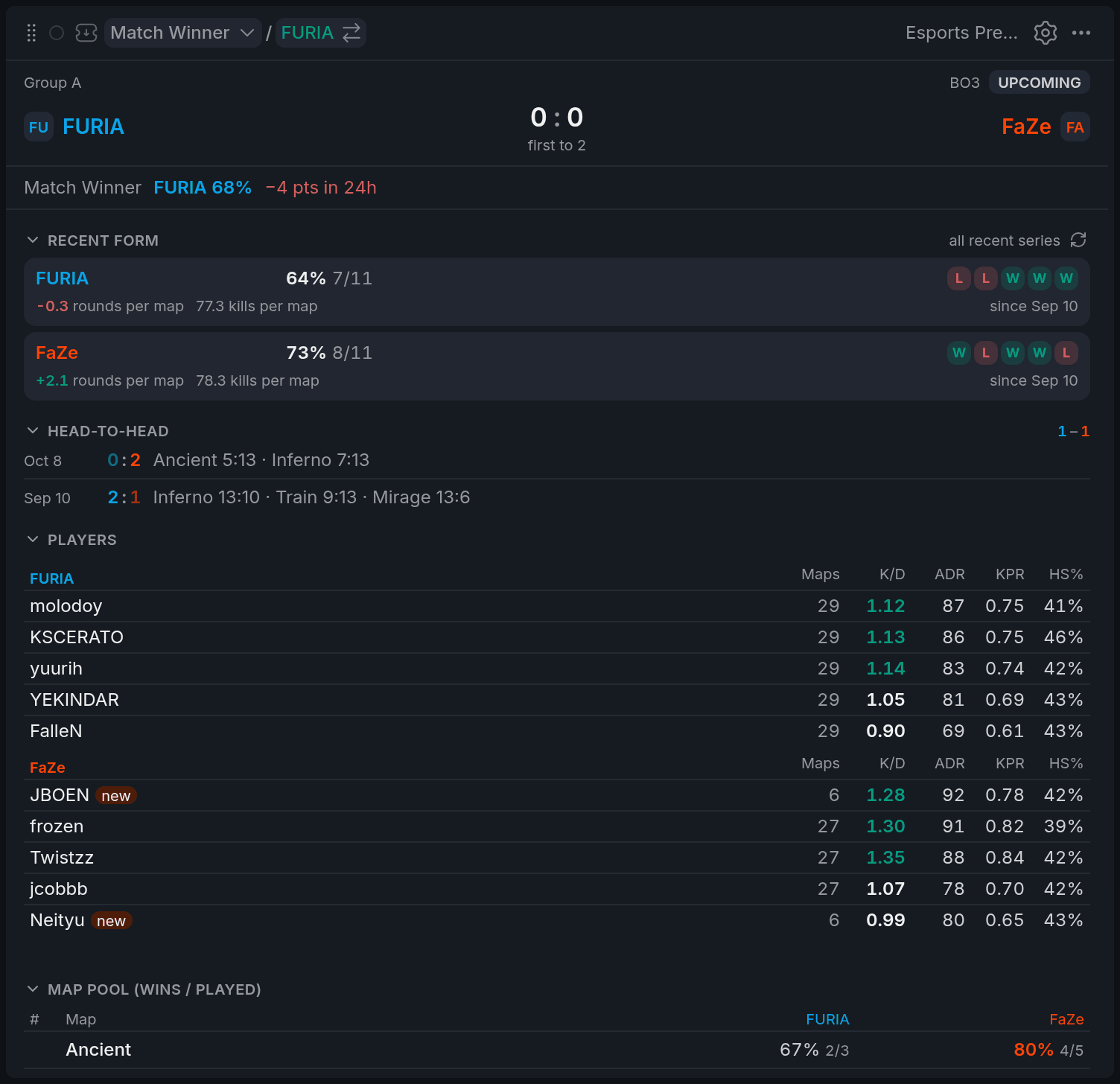
- 1Market line with 24h move
- 2Win rate and W/L squares
- 3Rounds per map
- 4Head-to-head score
- 5A new tag
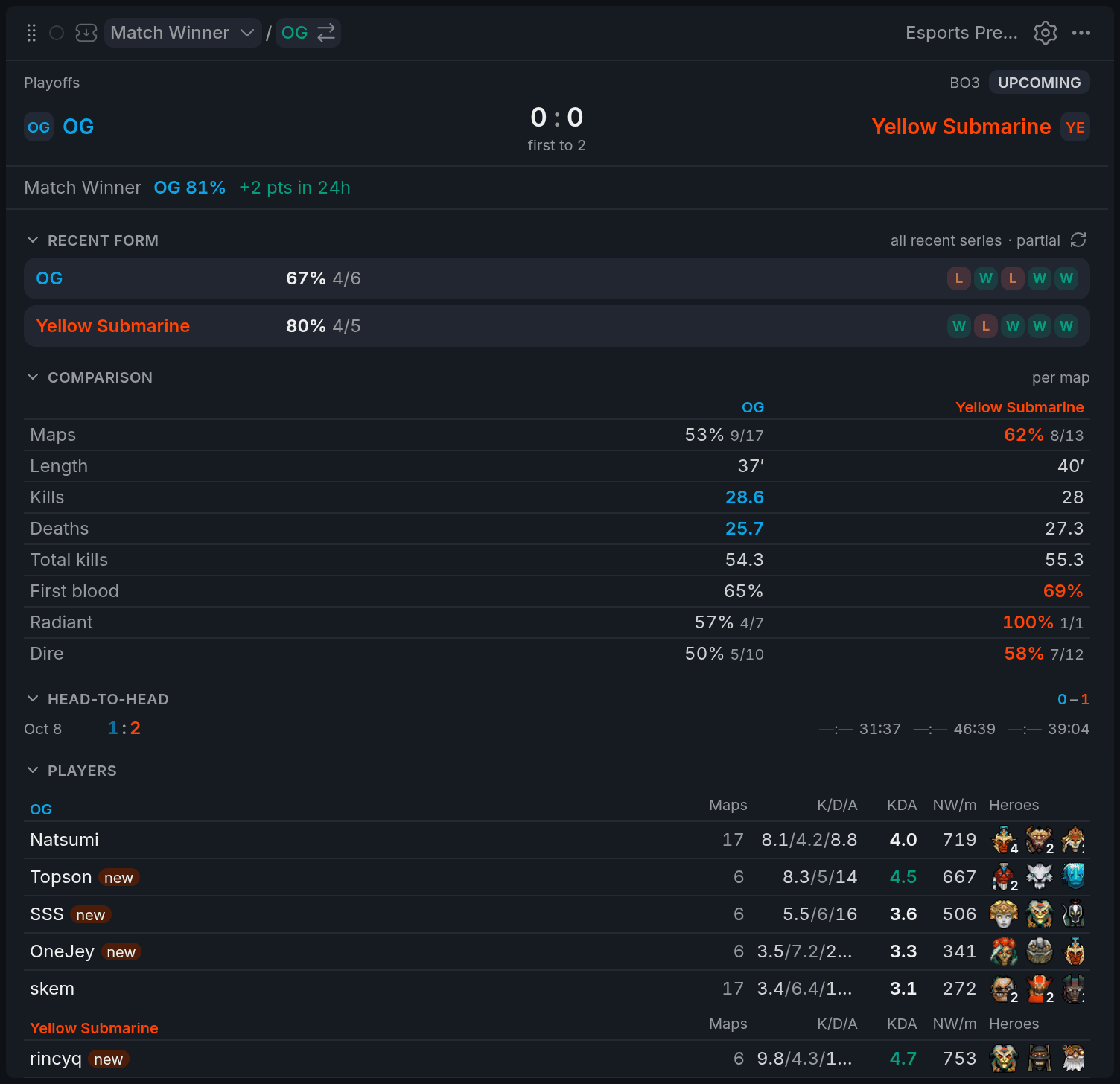
- 1Market line
- 2W/L squares
- 3Better value in team colour
- 4Head-to-head
Recent form shows each team's win rate over its recent series, with the last five as W and L squares, newest on the right. Hover a square for the opponent, score and tournament. On CS2 it adds rounds won minus lost per map. Above it, the market line shows the Yes price and its 24-hour move.
Below come Head-to-head, with recent meetings, and Players, with stats over the same series. A player tagged new played fewer than half of the team's recent series: likely a stand-in or a new signing.
On Dota 2, Comparison lines the teams up per map, from length and kills to first blood, with the better number in the team's colour. Draft tendencies shows the heroes each team picks and bans most.
Using it
Map veto (CS2)
Once the veto is in, Map veto lists the maps in the order they'll be played, who picked or banned each, and each team's record on it. The better record is in the team's colour and banned maps are struck out. Before the veto, the same table shows the map pool from recent form.
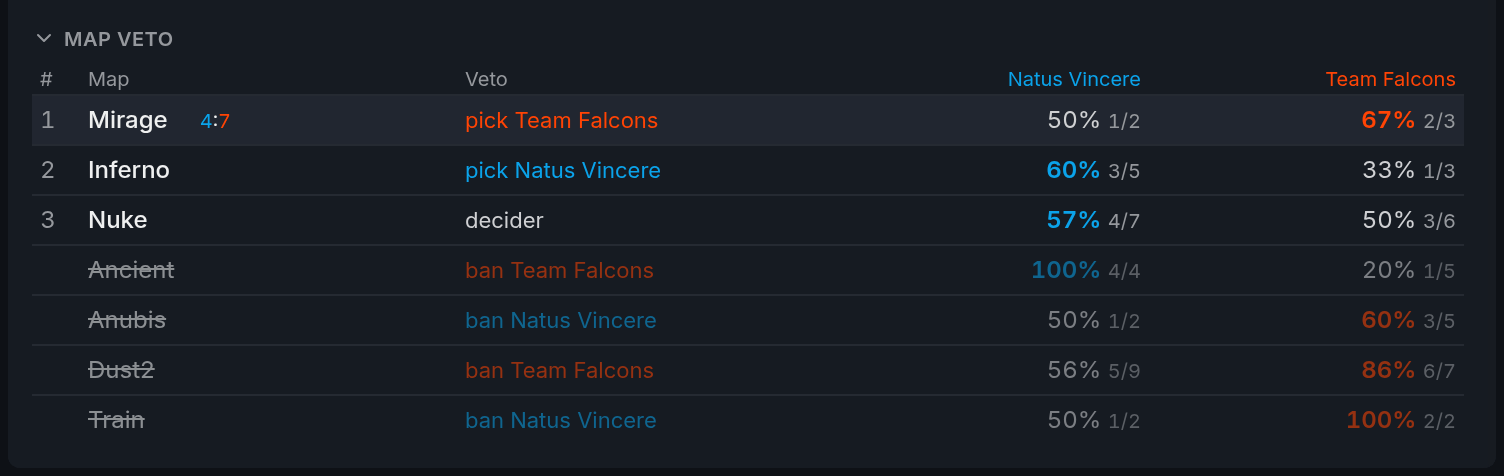
- 1Play order
- 2Pick or ban by team
- 3Better record in team colour
- 4Struck-through ban
On Dota 2, the draft of the map in play (Draft, map 1) shows its picks and bans as soon as they're known.
Form window
Set Form window in settings to the last 5 or 10 series, or All. Win rates, map records and player stats all follow it. partial next to the form means older matches are still loading: scroll down to load more.
Tips
- A team just changed its lineup? Set the form window to 5: older series describe a different team.
- A big 24-hour move in the market line? Check Players for a
newtag: a stand-in is a common reason.
Finish reading to complete this lesson
Extras
More on the numbers
| What | What it means |
|---|---|
| K/D colour (CS2) | Green from 1.10, red under 0.90. |
| Map score in the veto | Maps already played or under way show their score; the live one has a red dot. |
| Total kills (Dota 2) | Both teams' kills per map in this team's games. Useful for kill totals. |
Folding sections
Click a section's title to fold it. The widget remembers what you folded.
Settings
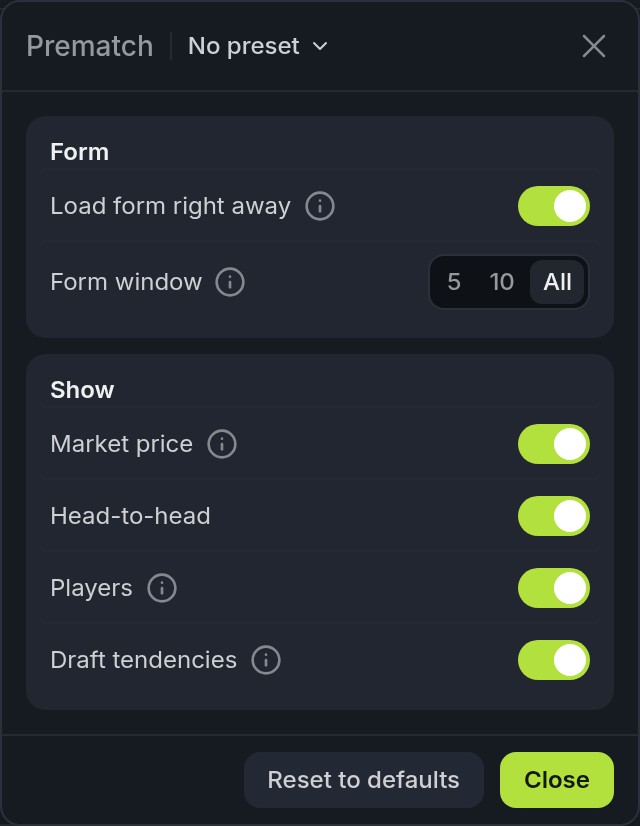
| Setting | What it does |
|---|---|
| Load form right away | Loads form from archived matches when the widget opens. Turn it off and press Load form and head-to-head when you need it. |
| Form window | How many recent series the numbers cover: 5, 10 or All. |
| Market price | The Yes price and its 24-hour move. |
| Head-to-head | The recent meetings between the two teams. |
| Players | The lineup with its stats over the form window. Stand-ins are marked. |
| Draft tendencies | The Dota 2 heroes each team picks and bans most. |