Chapter 4 · Analysis · Lesson 16 · 2 min
Esports Players
The broadcast-style scoreboard for one CS2 or Dota 2 map, with a deeper view for each player.
Esports Players is the scoreboard you know from the broadcast: both rosters of the map in play, live. Use it to see who's carrying, who's down and what each side has left. It follows one match, so link it to a colour group with an esports market. Map tabs work as in Esports Match.
What you see
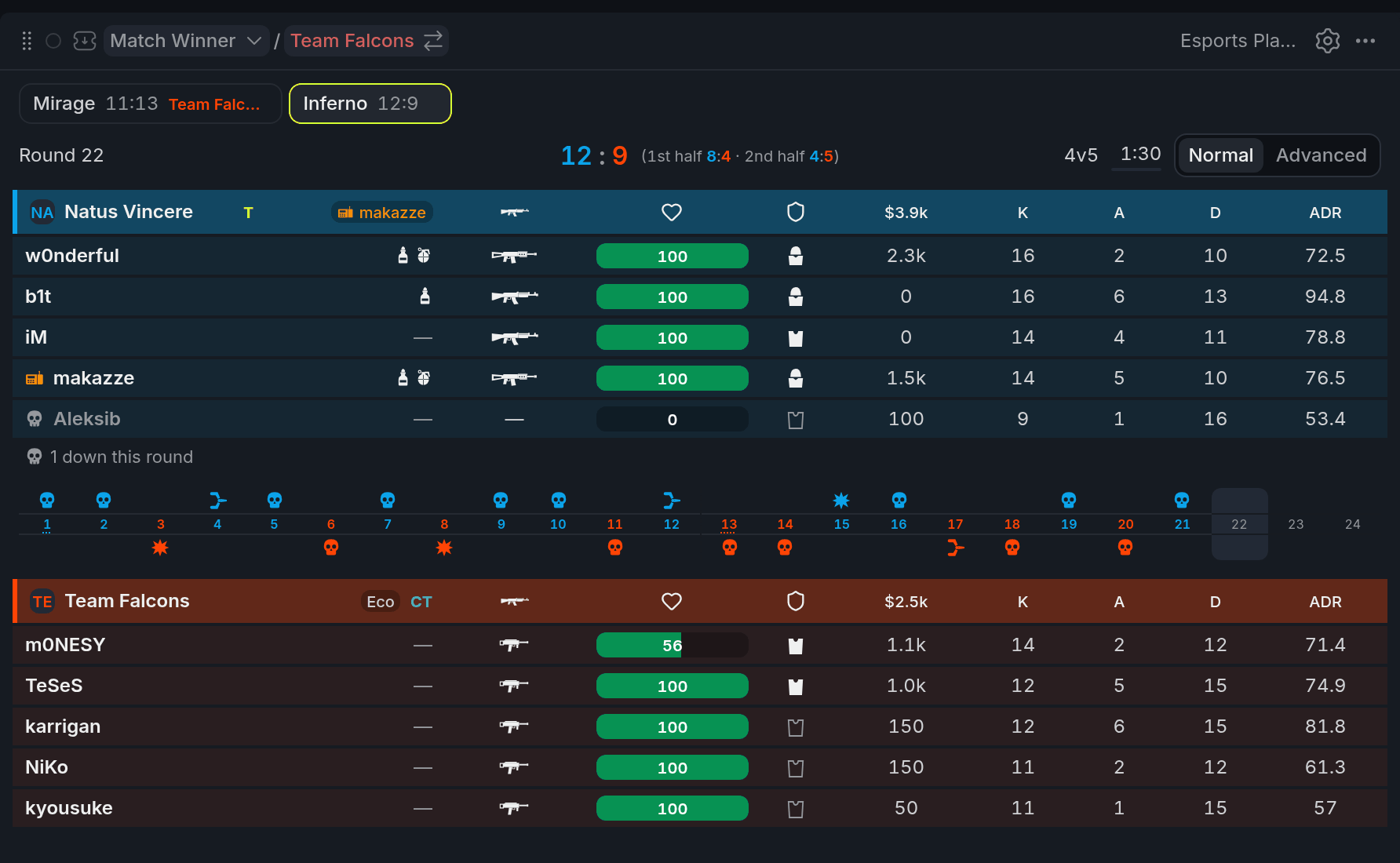
- 1Team header: side, buy, money
- 2Player row: gear, HP, $
- 3Dead player's skull
- 4Round history
- 5Normal / Advanced
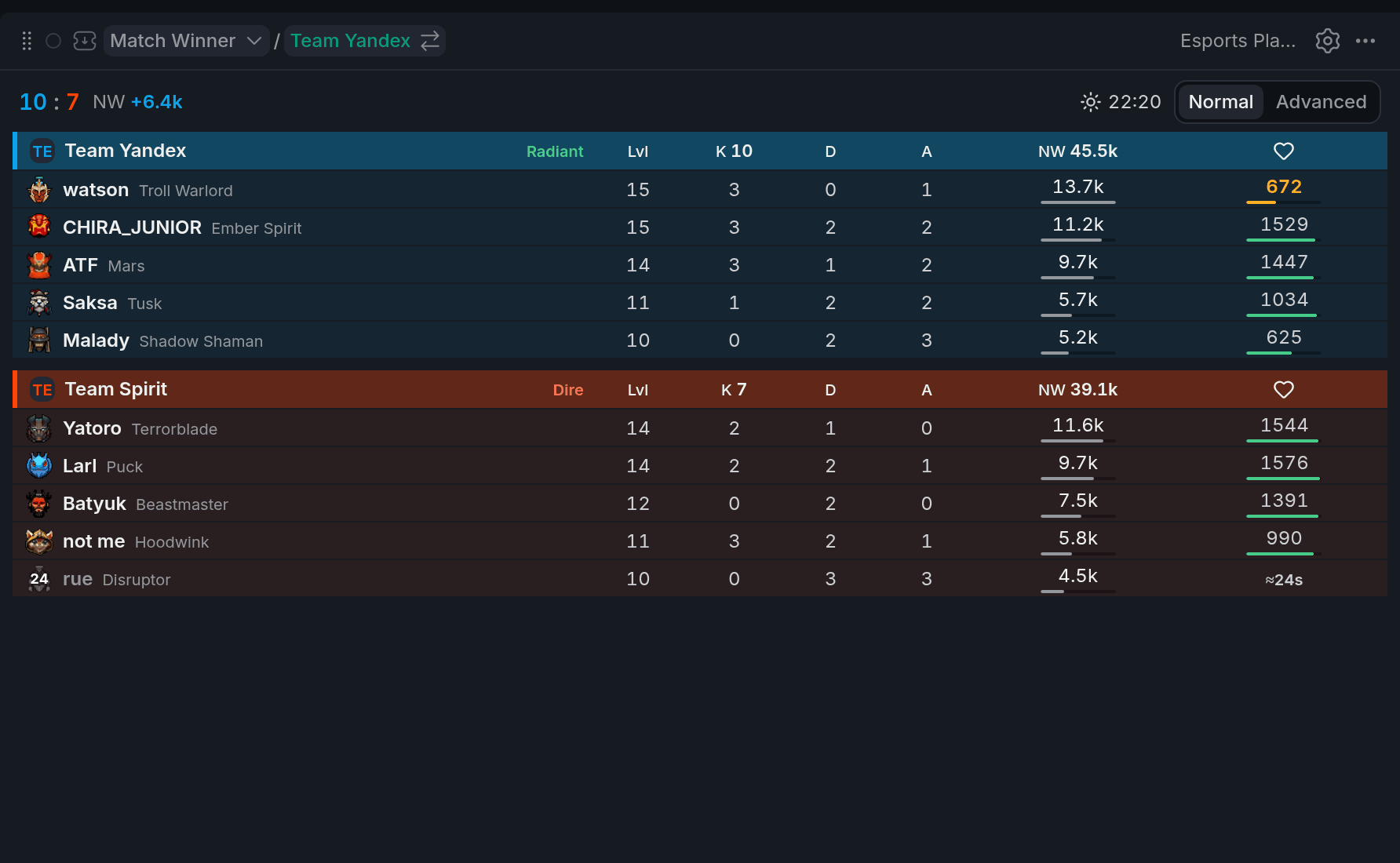
- 1Kills and NW lead
- 2Hero row: level, NW bar
- 3Dead hero with respawn seconds
- 4Normal / Advanced
On CS2, rows read like the broadcast scoreboard, plus ADR (damage per round); the team header adds side, buy and money. On Dota 2, a dead hero shows the seconds until it respawns.
Rows sort by kills (CS2) or net worth (Dota 2), but never jump under your eye: CS2 re-sorts when a round starts, Dota 2 at most every 30 seconds.
Using it
Normal and Advanced
Advanced trades the live view for the numbers that tell you who's playing well. On CS2 that's opening kills, rounds with two kills or more, KAS and kills minus deaths; on Dota 2, kill participation, net worth per minute, gold and key items. Switch with the toggle in the widget's top line.
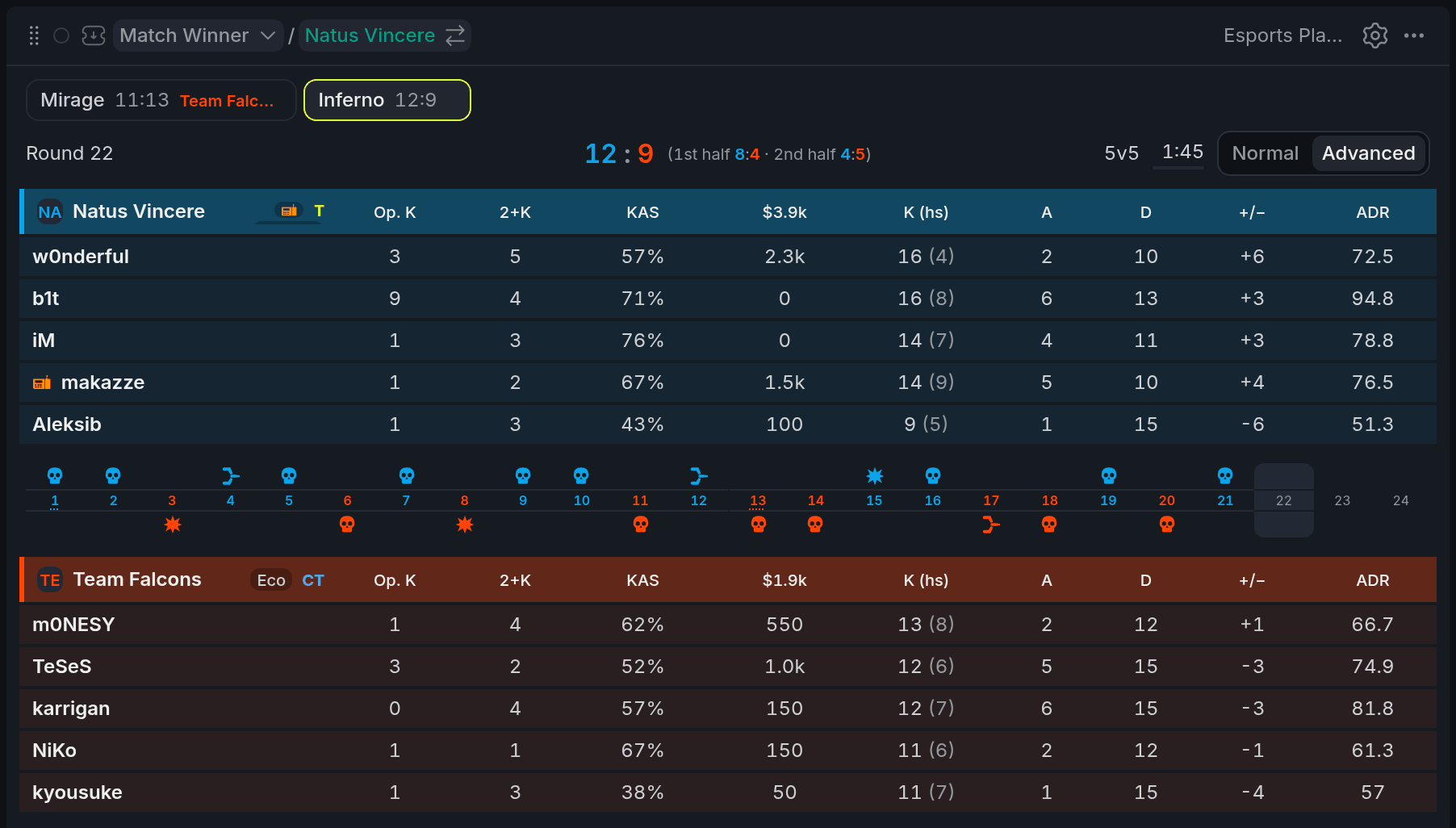
- 1Op. K and 2+K
- 2KAS
- 3+/− (kills minus deaths)
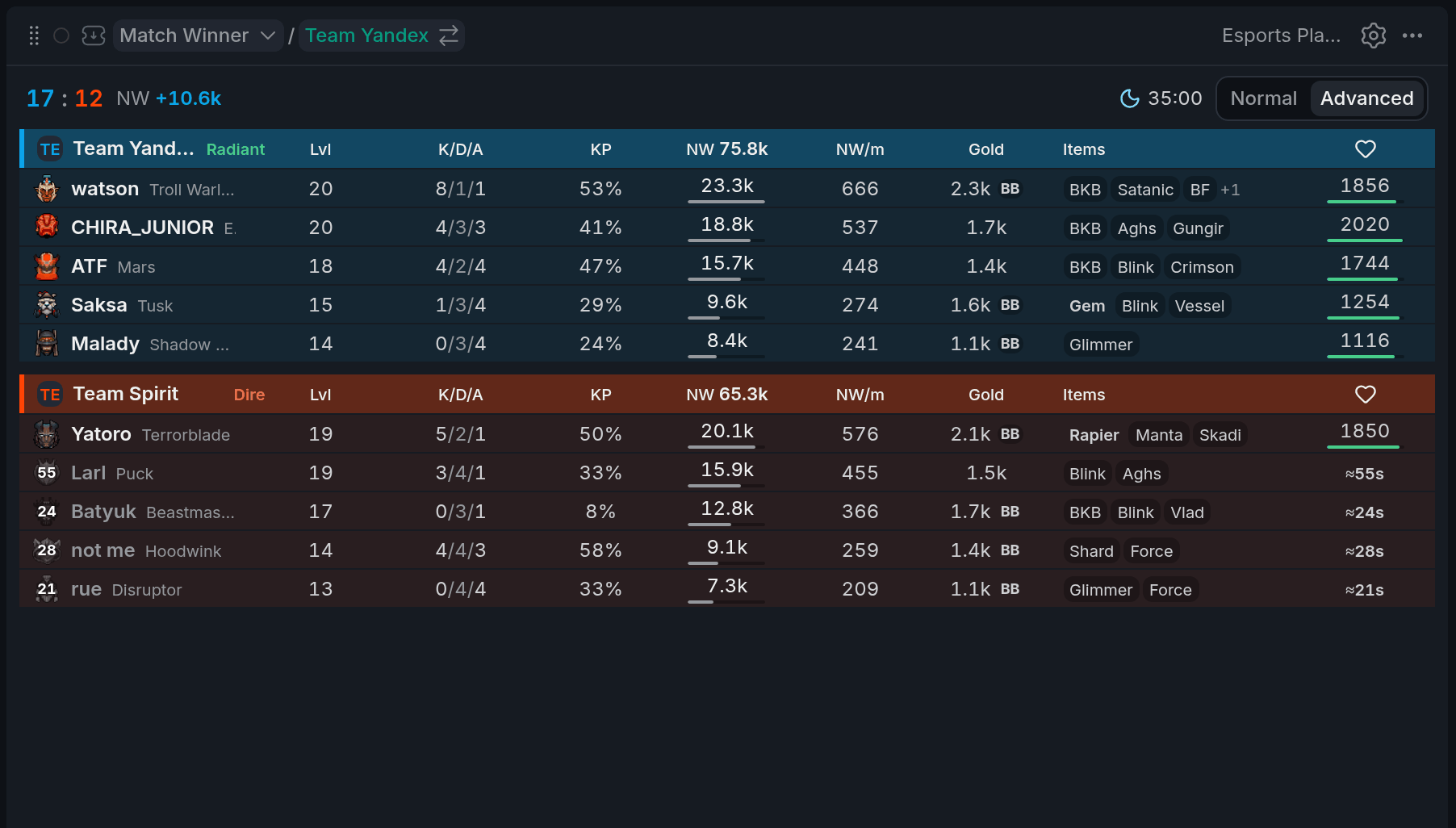
- 1KP and NW/m
- 2Gold with BB
- 3Key item
On Dota 2, BB next to the gold means the hero has enough gold to buy back. The data doesn't say whether buyback is off cooldown, so treat it as "can afford it", not "will be back".
Open a player
Click a player to open their card. On CS2 it holds the full stat line, from HS% to money and equipment. On Dota 2 it's the hero card: items, abilities ready, net worth rank and its share of the team's net worth. The player is picked in the Esports Game Log too, so you can find them on its map.
Tips
- Pick a player, then set Trails to selected in the Game Log: you'll see only their path on the map.
- Following one player all map? Set Row order to Roster in settings and they stay on the same row.
Finish reading to complete this lesson
Extras
More on the board
| What | What it means |
|---|---|
2 down this round | Under a CS2 roster: how many of its players are dead. |
| ×3 next to a Dota 2 name | The hero's biggest multi-kill on this map. |
| Bar under Dota 2 net worth | The hero's net worth next to the richest hero on the map. |
| Highlighted key items | Aegis, Divine Rapier, Gem and the like: items that change a fight on their own. |
On a narrow widget, the board keeps only the columns that matter most, and the Normal/Advanced toggle hides: switch with View in settings instead.
Settings
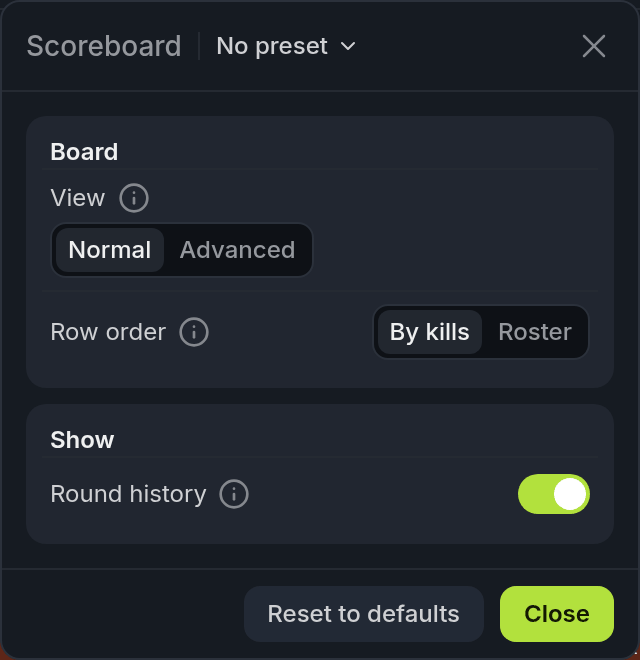
The panel shows the options for the match's game.
| Setting | What it does |
|---|---|
| View | Normal or Advanced. |
| Row order | By kills (CS2) or By NW (Dota 2), or Roster, which keeps every player on the same row all map. |
| Round history | The CS2 round strip between the rosters. |
| Hero names | The Dota 2 hero's name next to the player. Turn it off to leave more room for the name. |