Chapter 4 · Analysis · Lesson 6 · 2 min
Big Trades
The largest trades across every market, live. Spot where big money is going and jump straight to that market.
Big Trades is a live tape of the biggest trades on the whole platform, not just one market. Use it to spot where large money is moving right now, then click through to trade it. It doesn't need a market: click a trade and everything in the widget's colour switches to that market.
What you see
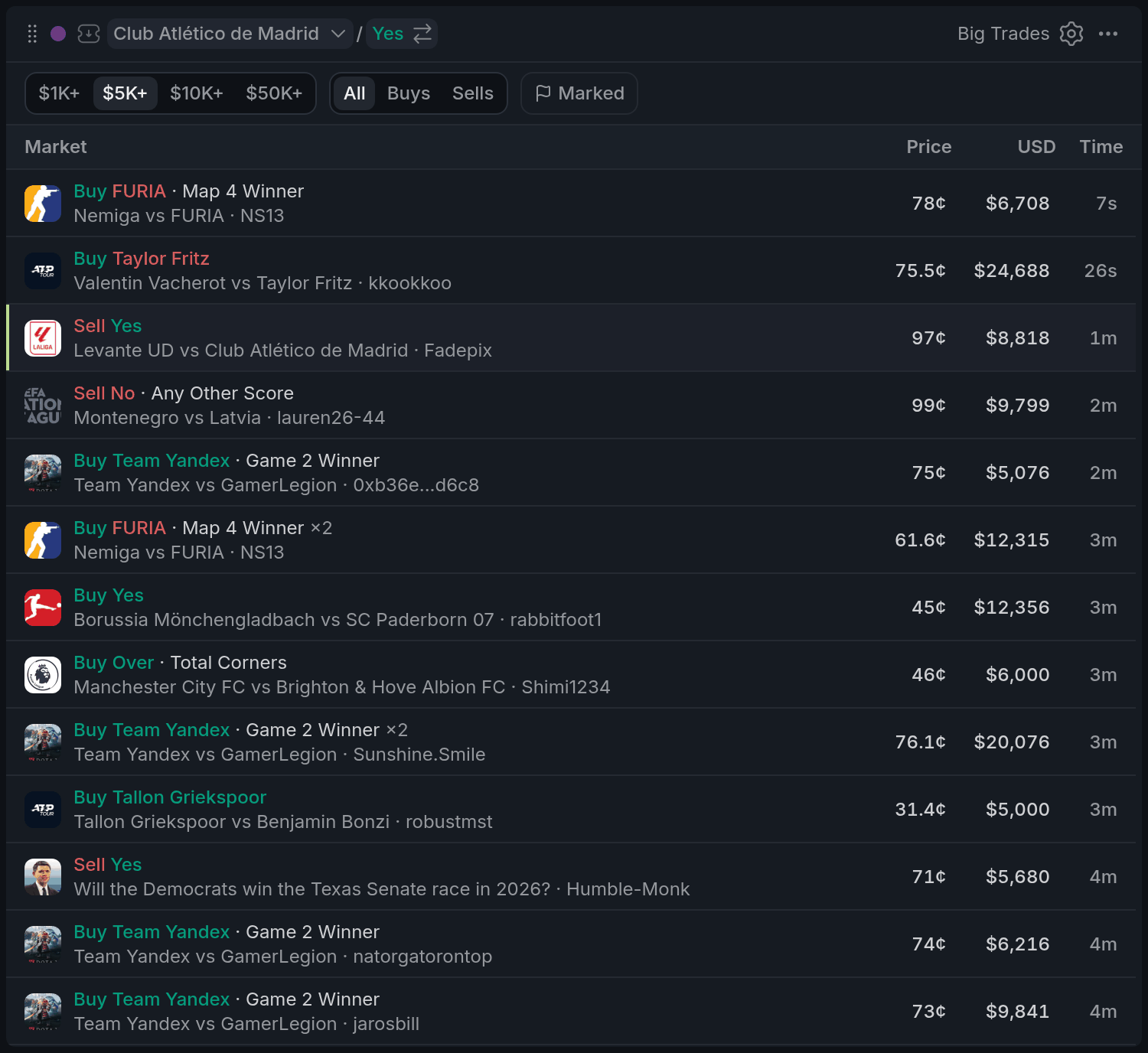
- 1Size filter
- 2Marked
- 3A sports row's bet
- 4Merged row ×2
- 5Current market's row
Each row is one trade: Buy or Sell, the outcome and, for sports and esports, the bet (like Spread +6.5 or Map 4 Winner). Below it is the event and the trader. On the right are the price, the size in dollars and how long ago it happened.
A big order often fills in several pieces. Fills of the same order within a minute are added up into one row, marked ×3 for three fills, so one bet reads as one bet. Trades from $50K are in bold, and new trades light up for a moment as they arrive.
Using it
Filtering
Choose the minimum size at the top: $1K+, $5K+ (the default), $10K+ or $50K+. Next to it, keep All, only Buys or only Sells. Marked keeps only the wallets you've marked, so the tape follows the traders you rate wherever they trade. Marking a wallet is covered in Live Trades.
Not interested in some categories? Hide categories in settings drops sports, esports, crypto, weather or socials markets from the tape.
Opening a market
Click a row and that market becomes your colour's market: the chart, book and betslip in that colour switch to it. The row for the market you're on is highlighted.
With other widgets
- Marks are shared across Pro, so marked wallets carry their dot here too.
Tips
- Put Big Trades in the same colour as Live Trades and an Orderbook. Click a big trade, and you can see at once who else is trading that market and what's left in the book.
- Set the size to $50K+ and keep it small in a corner. It stays quiet most of the time, so a new row means something big just happened.
- Trading sports only? Hide crypto, weather and socials to cut the noise.
Finish reading to complete this lesson
Extras
What's left out
Trades above 99¢ or under 1¢ don't show: they're mostly payouts and dust, not bets. When an order is matched against a resting one, you see the side that crossed the book, not both halves.
Settings
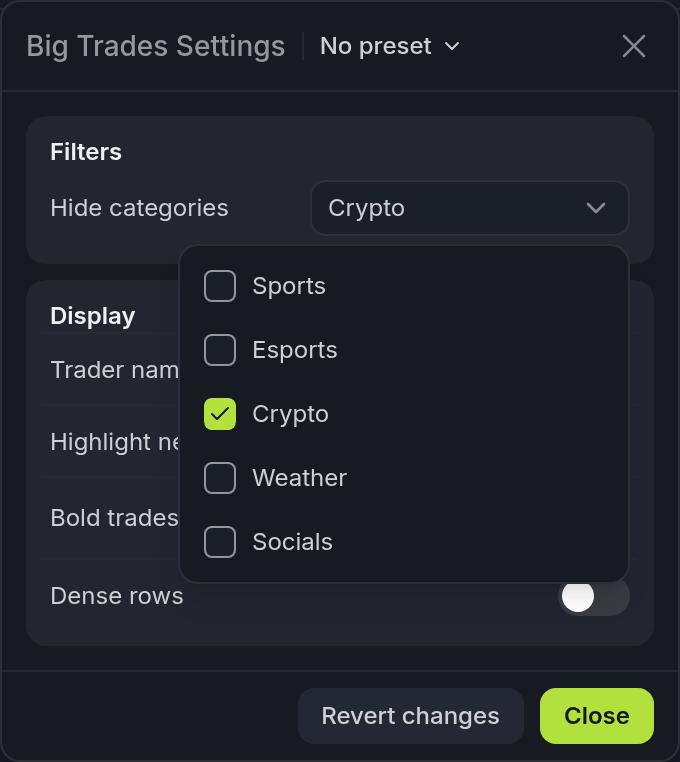
- 1Hide categories
- 2Bold trades from
| Setting | What it does |
|---|---|
| Hide categories | Sports, Esports, Crypto, Weather or Socials markets to leave out. |
| Trader name | The trader's name under each trade. |
| Highlight new trades | New trades light up for a moment. |
| Bold trades from | The size from which a trade is in bold ($50,000 by default). |
| Dense rows | Shorter rows, so more trades fit. |