Chapter 4 · Analysis · Lesson 2 · 2 min
Holders
Who holds each side of a market, how big their positions are, and whether they're up or down.
Holders lists the wallets holding a market, side by side for each outcome. Use it to see who is behind a price: a few whales or a crowd, sitting on profits or underwater. It shows one market, so link it to a colour group.
What you see
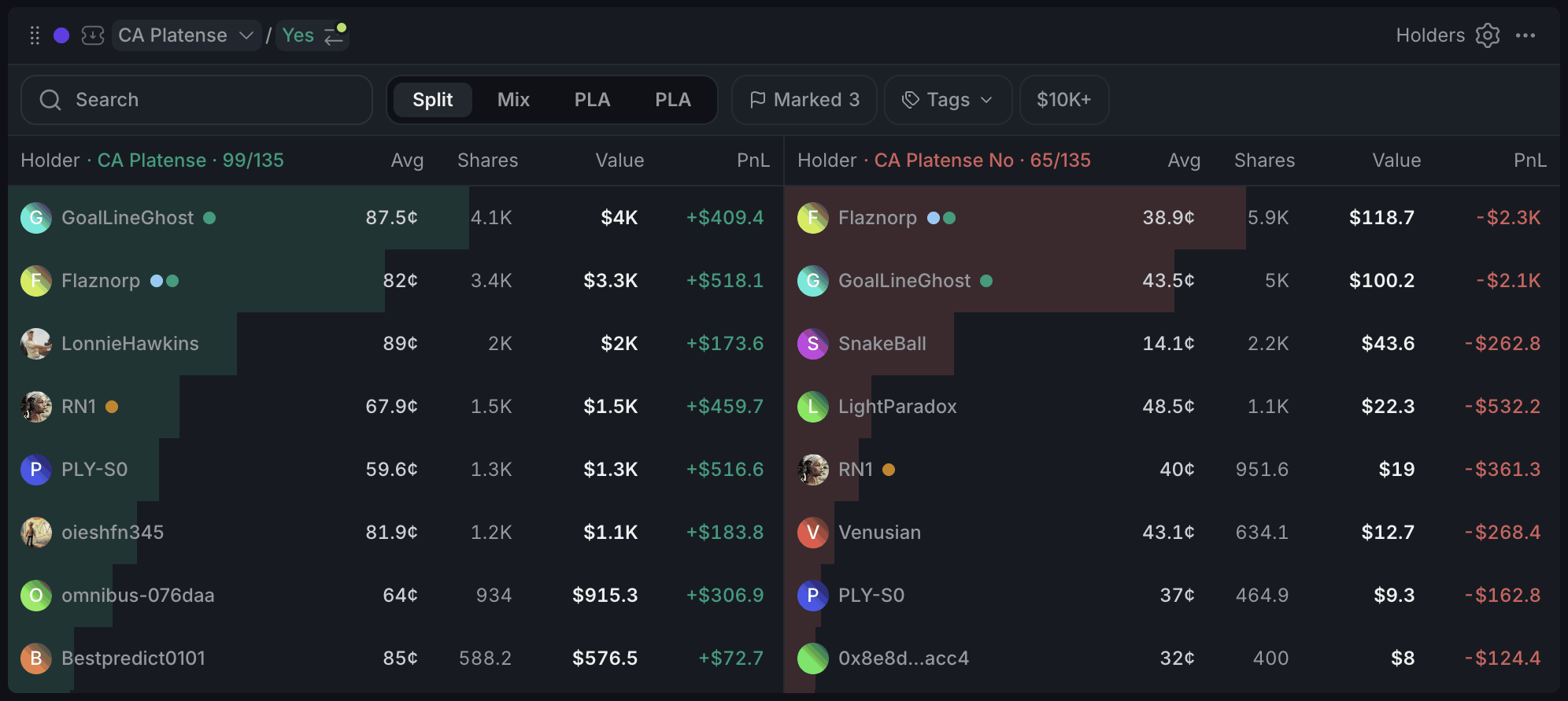
- 1Holders of this side out of all
- 2Split, Mix or one outcome
- 3Marked, Tags and $10K+ narrow the list
- 4Value now and unrealised PnL
- 5Your mark on a wallet
Each row is one wallet's position: its average entry price (Avg), the shares it holds, what the position is worth now (Value) and its unrealised PnL in dollars, plus a percentage of what it cost when the widget is wide enough. The bar behind a row compares its value with the biggest position in the book.
The header shows how many wallets hold that side out of all holders, for example Yes · 1,204/2,310. A wallet you've marked gets a coloured dot.
Holders are ranked by shares, not by dollars. On one side that's the same thing, since every share there has the same price. In Mix, though, a big pile of cheap shares can sit above a smaller position that's worth more.
Using it
Views
Split shows both outcomes next to each other (stacked when the widget is narrow). Mix puts all holders in one list, with a tag for their side. The two outcome tabs show one side on its own.
Narrowing the list
Search finds a wallet by name, nickname or address. Marked keeps only wallets you've marked, Tags keeps the wallets in one of your tags or folders (Traders explains them), and $10K+ keeps only positions worth $10K or more. Positions under $1 are hidden out of the box, so the list isn't buried in dust.
Checking a holder
Hover a name for a quick card with the wallet's overall PnL, volume and win rate, plus its cash balance. Click a row to open the full trader window, the same one as in Live Trades: track or mark the wallet there, and press j or k to step through the book.
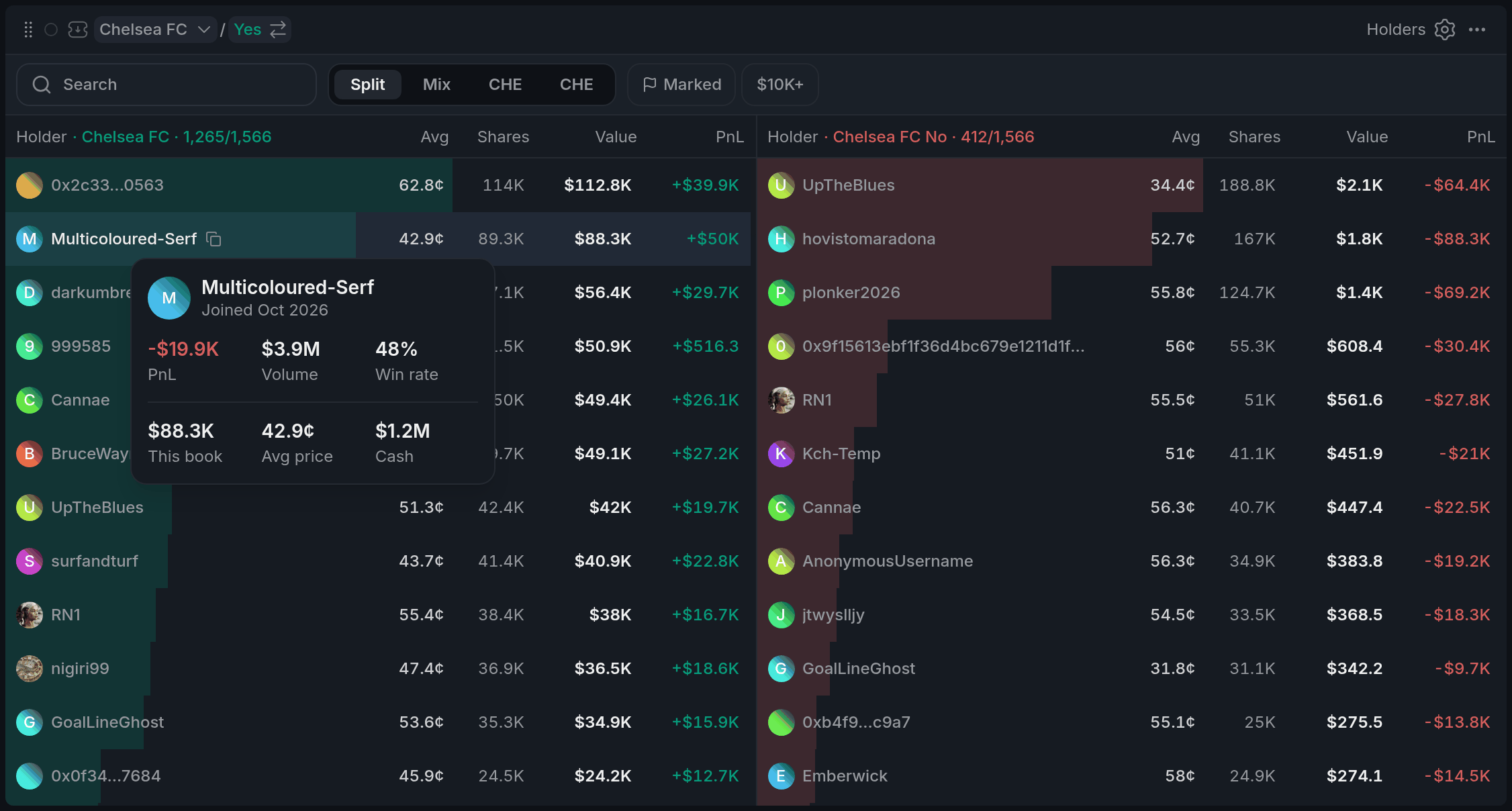
- 1Overall PnL, Volume and Win rate
- 2This book, Avg price and Cash
With other widgets
- Holders always follows its colour's market.
- Click a market in the trader window's Profile tab and the whole colour switches to it.
- Marks are shared across Pro, so a wallet you mark here carries its dot in Live Trades, Holders Map and Smart Money too.
Tips
- Before you trade a thin market, check who holds the other side. One wallet holding most of it can move the price whenever it sells.
- Look at Avg against the current price. A side full of holders deep in the red may be waiting for any bounce to get out.
- Put Holders in a tab next to Live Trades in the same colour. When a big trade comes through, switch over to see who now holds the most.
Finish reading to complete this lesson
Extras
Settings
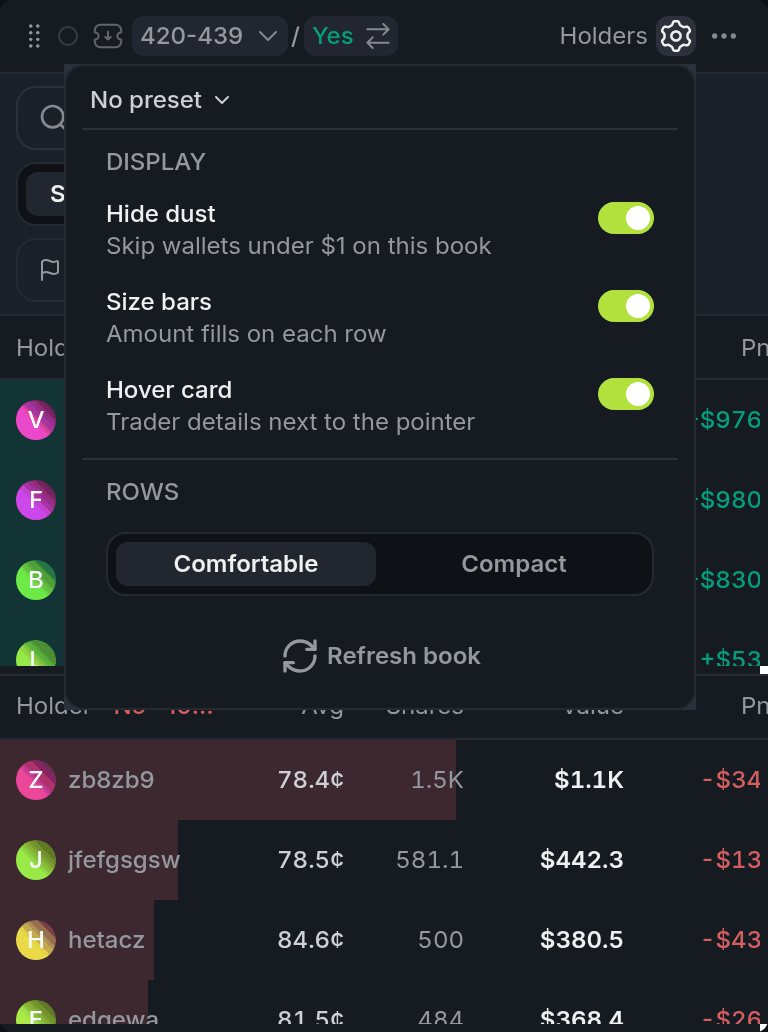
- 1Hide dust
- 2Comfortable / Compact
- 3Refresh book
| Setting | What it does |
|---|---|
| Hide dust | Hides positions worth under $1. On by default. |
| Size bars | The bar behind each row. |
| Hover card | The quick card when you hover a name. |
| Comfortable / Compact | Row height. |
| Refresh book | Reloads the holders right away. |
Search and the quick filters look through the holders already loaded in the list.
Hover a row to copy the wallet's address.