Chapter 4 · Analysis · Lesson 13 · 1 min
Post Feed
The posts that move post-count markets, as the tracker counts them, with an optional sound on new ones.
Post Feed shows the posts behind post-count markets, newest first, as Polymarket's tracker counts them. Use it to see a post the moment it moves the count, without leaving Pro.
What you see
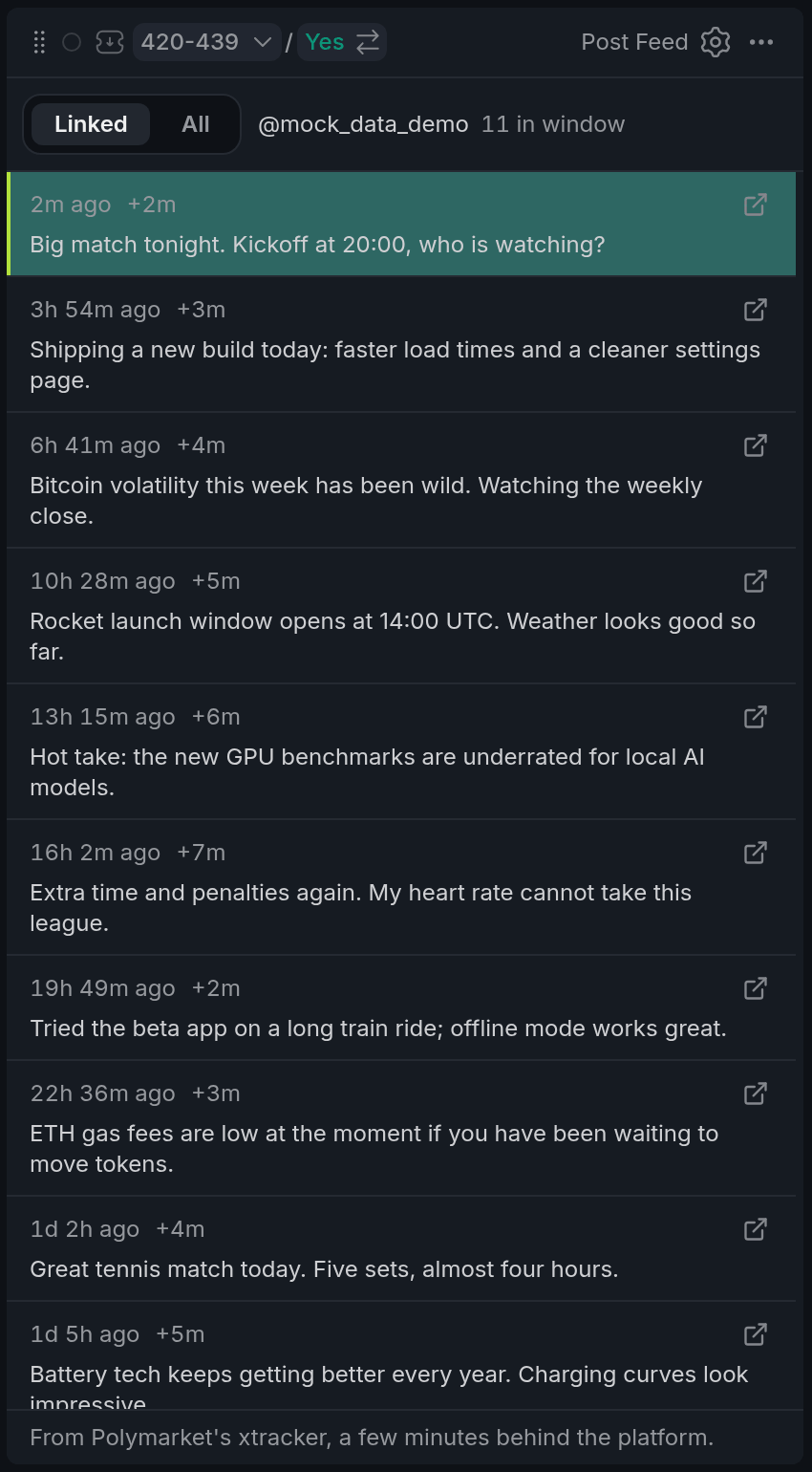
- 1Linked or All
- 2Account and its count in the window
- 3New post, lit for a few seconds
- 4Tracker delay
- 5Open the post
Each post shows how long ago it went up, its text cut to four lines, and a link to open it on X or Truth Social. New posts light up for a few seconds as they arrive. The feed covers the last 48 hours.
The small +3m next to the time is how long the tracker took to count that post. The count in Post Counter moves only once it's counted, so this is the delay you're trading against.
Using it
Linked or All
Linked follows the market of its colour and shows that account's posts, with the window's count beside the name. All mixes in every account that has a window open right now, each post tagged with its account.
A sound for new posts
Set Sound on new post in settings to hear a ping when a post lands: Linked pings only for the linked account, All for anyone in the feed. Posts that land together ping once.
With other widgets
- In Linked, the feed switches account whenever its colour changes market, for example when you click a window in Post Scanner.
Tips
- Put Post Feed next to Post Counter in one colour, with the sound on Linked. A ping tells you to look at the count and the brackets.
- Keep an All feed in a spare corner with the sound off. It's a quick read on which accounts are active today.
Finish reading to complete this lesson