Chapter 4 · Analysis · Lesson 15 · 2 min
Esports Feed
Every round of a CS2 map, or every fight and objective of a Dota 2 map, as a live list.
Esports Feed tells the map's story as a list: every CS2 round and how it was won, or every Dota 2 fight, tower and Roshan as it happens. It follows one match, so link it to a colour group with an esports market. Map tabs work as in Esports Match.
What you see
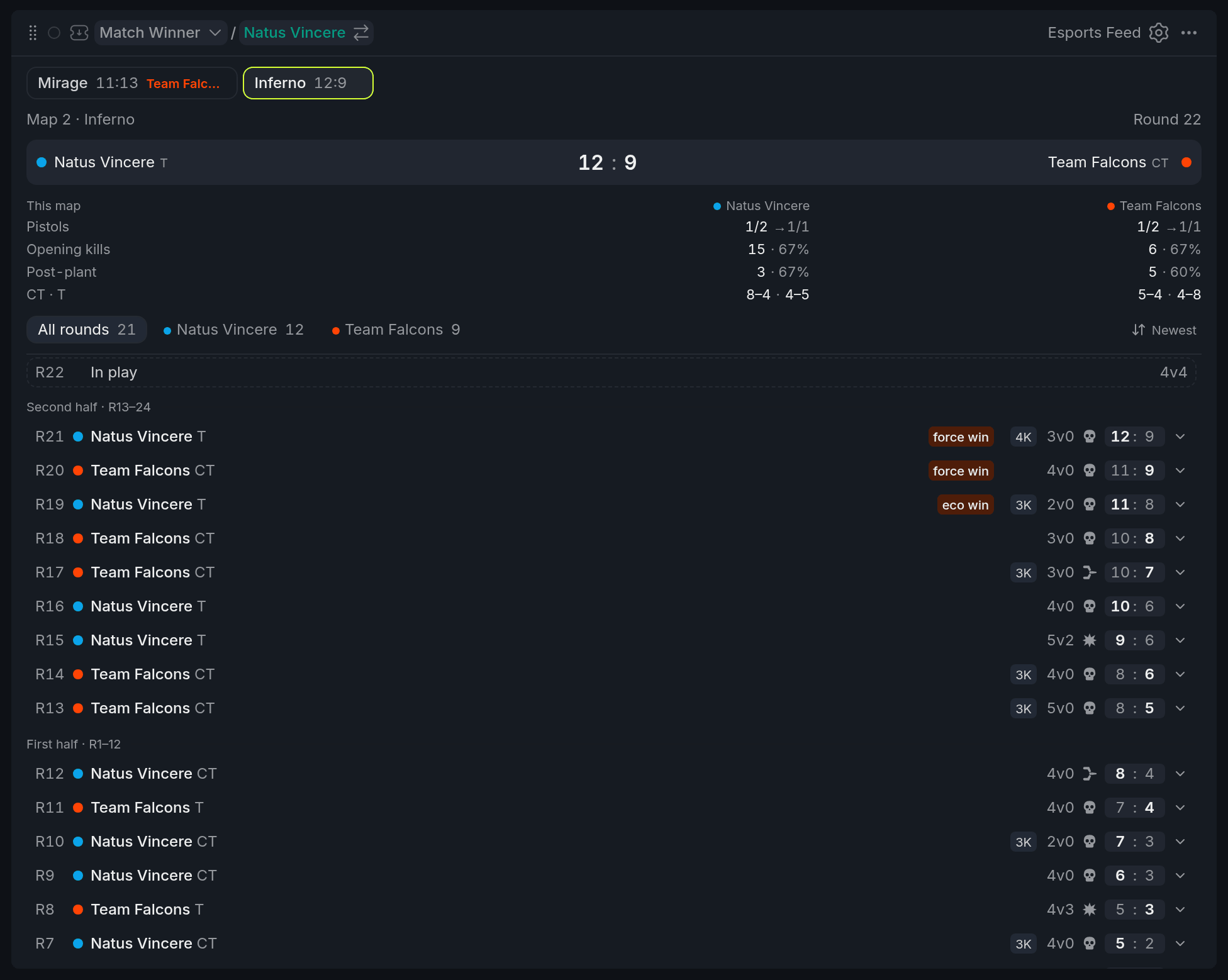
- 1This map table
- 2Filter chips and order button
- 3Round in play
- 4Round tags
- 5Score after the round
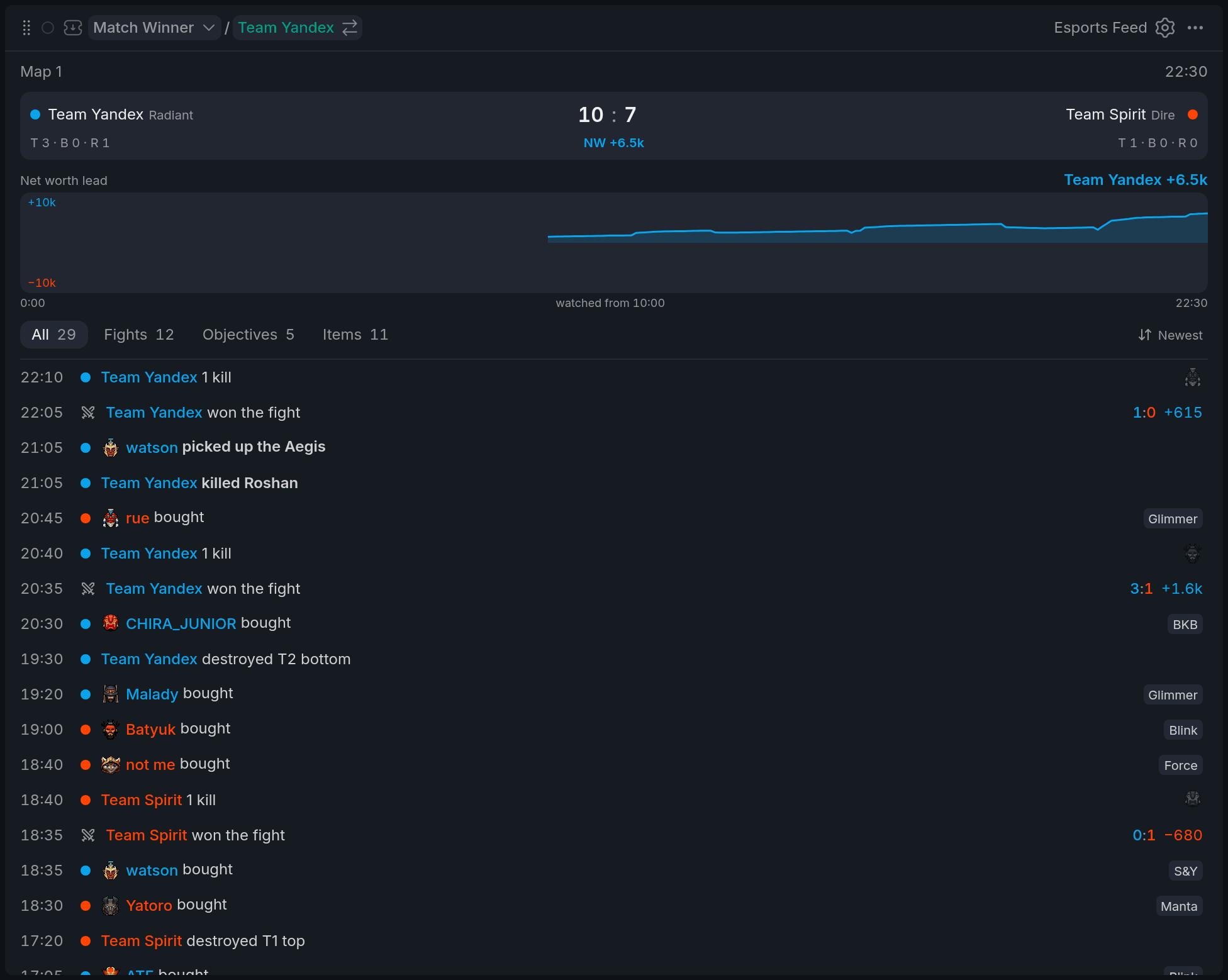
- 1Score, buildings and NW gap
- 2Net worth chart
- 3Filter chips
- 4Fight row with its swing
- 5Building row
On CS2, each row is one round: the winner and their side, how it ended, and the score after it. Tags pick out what a recap would mention: survivors (3v0, winner first), a multi-kill (3K, ACE) and a win on a weaker buy, like eco win.
Above the list, This map sums up each team: pistol rounds, opening kills, rounds after a plant, and the record on each side.
On Dota 2, the top shows the score and a chart of the net worth gap. Each row has the game clock: kills with the heroes that fell, buildings by lane, Roshan, the Aegis, key item buys and finished fights.
Using it
Filter and sort
Chips above the list cut it down: on CS2, all rounds or one team's wins; on Dota 2, Fights, Objectives or Items. The button next to them flips between newest and oldest first.
Open a round (CS2)
Click a round to open it: when it started, how long it took, kills, damage and players alive per team, plus who got the opening kill, planted and defused. Show on map replays it in the Esports Game Log, for rounds your board watched live.
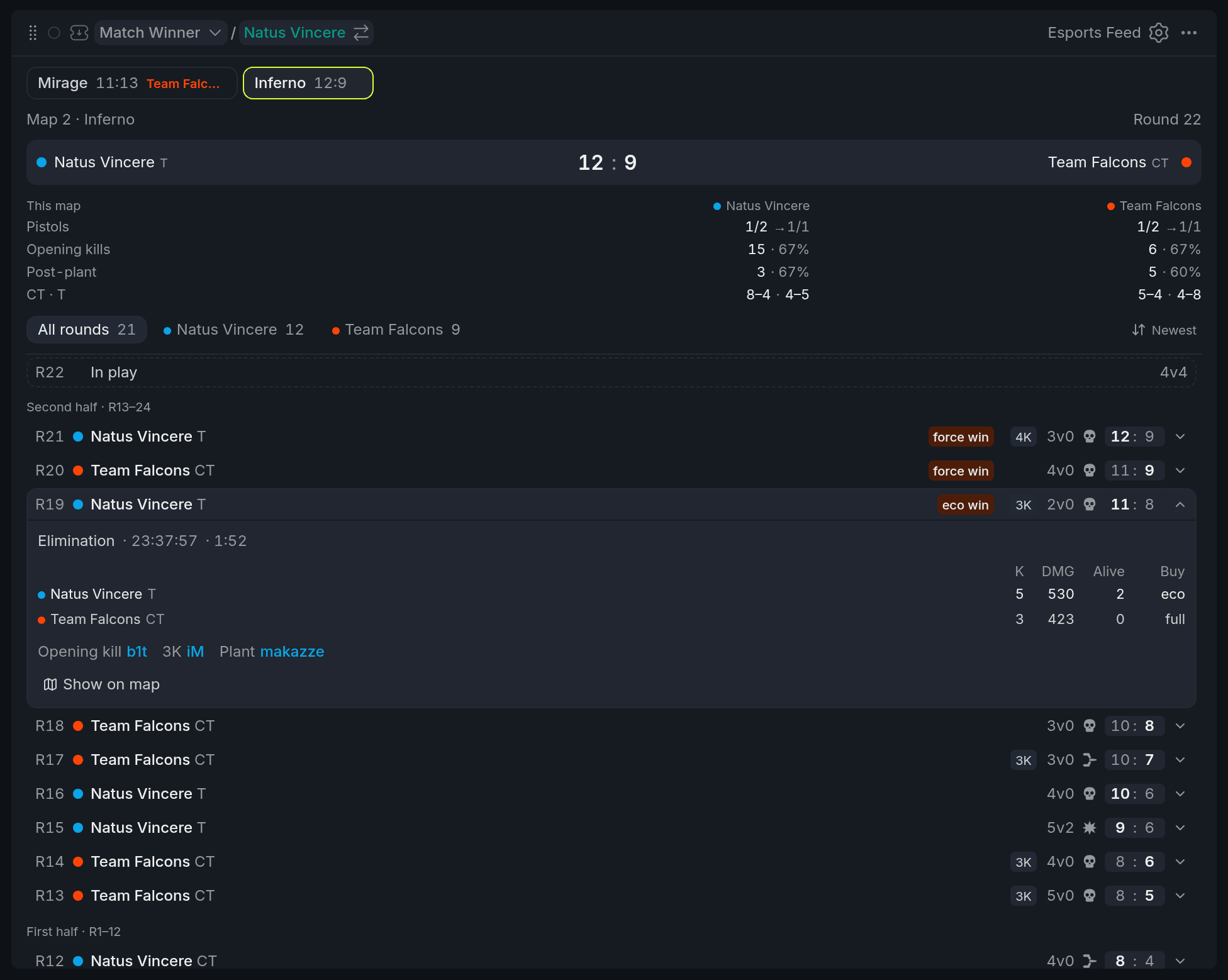
- 1Start time and length
- 2Per-team table
- 3Show on map
What the Dota 2 log sees
The Dota 2 log is built while your board watches the map. Open it mid-map and it starts at Watching from here, with the score at that moment: earlier events aren't listed. Reloading the page keeps what's been logged.
Tips
- After a pistol round, check Pistols in This map. The number after the arrow shows how often each team also won the round after a pistol win.
- In a Dota 2 teamfight phase, switch to Fights: one row per fight, with who won it and the net worth it swung.
Finish reading to complete this lesson
Extras
More on the CS2 rows
| What | What it means |
|---|---|
| Opening kills, Post-plant | How many rounds the team got the first kill in, or planted in, and the share of those it won. |
| CT · T | Rounds won–lost on each side. |
| Buy column | What each team bought. Shown for rounds your board watched from the start. |
| Dashed row | The round in play: each side's buy and who's still alive. |
| Half headers | Rows are grouped by first half, second half and each overtime. |
Settings
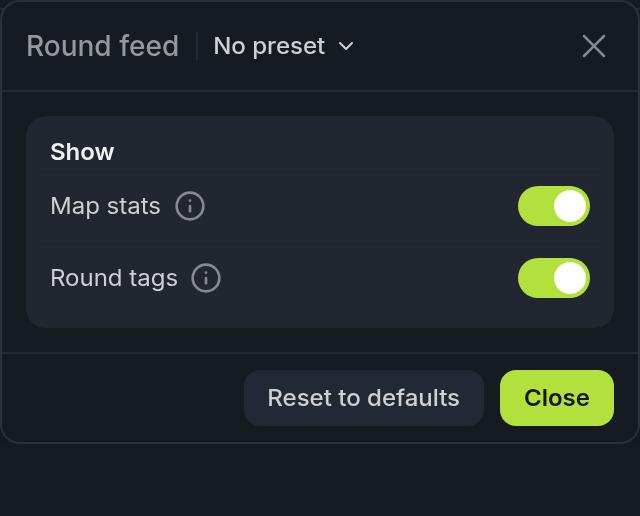
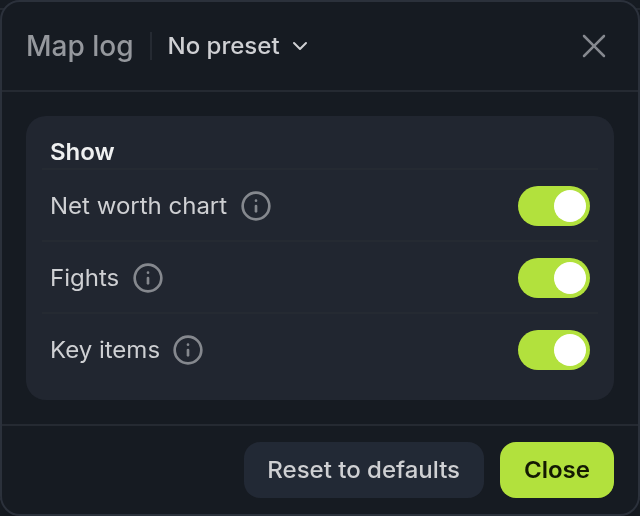
The panel shows the options for the match's game.
| Setting | What it does |
|---|---|
| Map stats | The This map table above the CS2 list. |
| Round tags | Survivors, multi-kills and eco wins in each CS2 row. |
| Net worth chart | The Dota 2 gap chart. Hover it to read the gap at any moment. |
| Fights | One row per finished Dota 2 fight instead of separate kill rows. |
| Key items | Rows for fight-deciding buys like BKB, Blink and Aghanim's, and the Items chip. |