Chapter 4 · Analysis · Lesson 18 · 3 min
Esports Game Log
A round-by-round kill feed with a live radar for CS2, or a live map of heroes and fights for Dota 2.
Esports Game Log is the in-game view: a CS2 kill feed round by round, next to a radar of where every player is, or a live Dota 2 map of heroes, buildings and fights. It's also where rounds you pick in the other esports widgets are replayed. It follows one match, so link it to a colour group with an esports market. Map tabs work as in Esports Match.
What you see
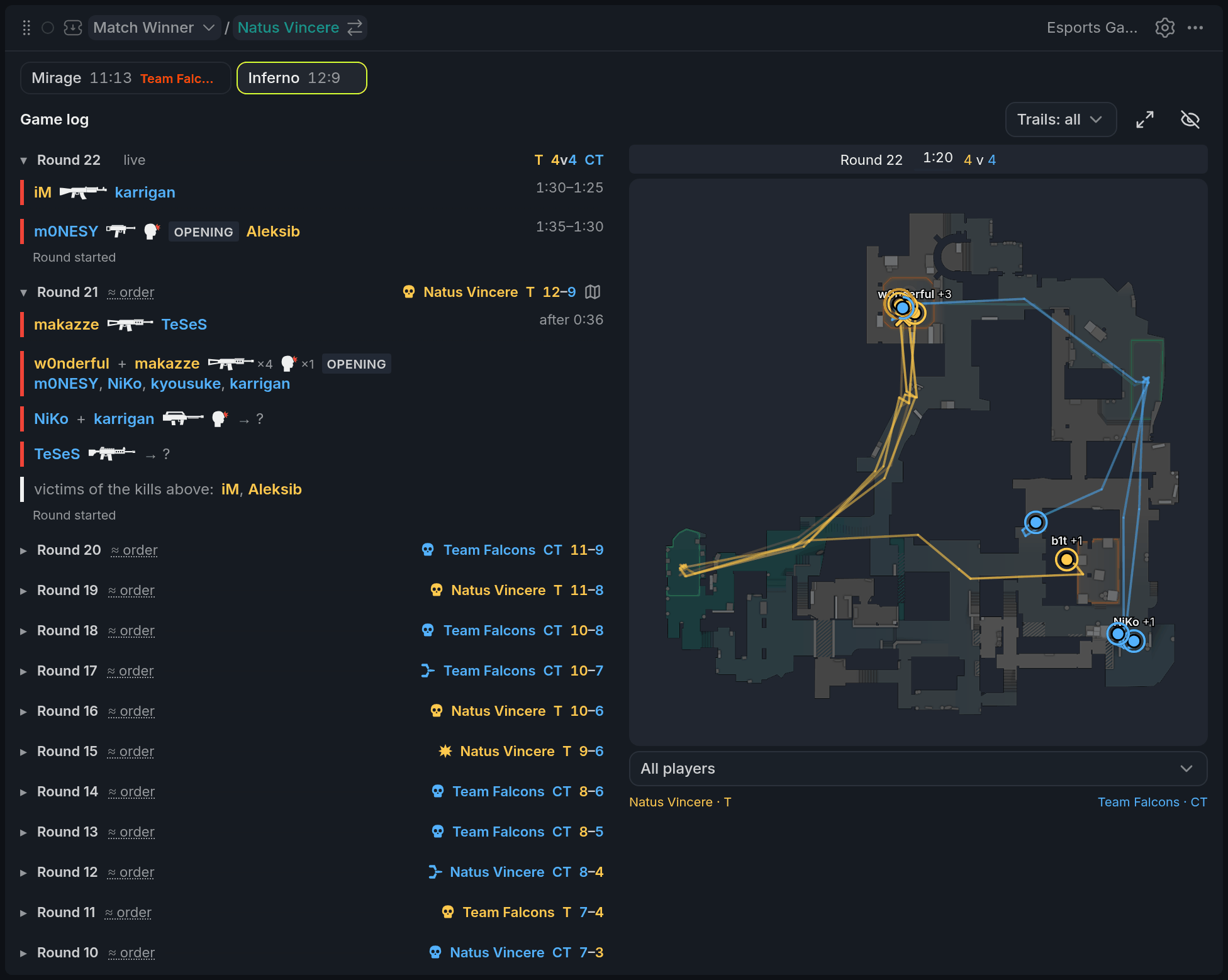
- 1Kill line with weapon and Opening
- 2Round clock
- 3Player dot with name and HP
- 4Death cross
- 5Trails menu
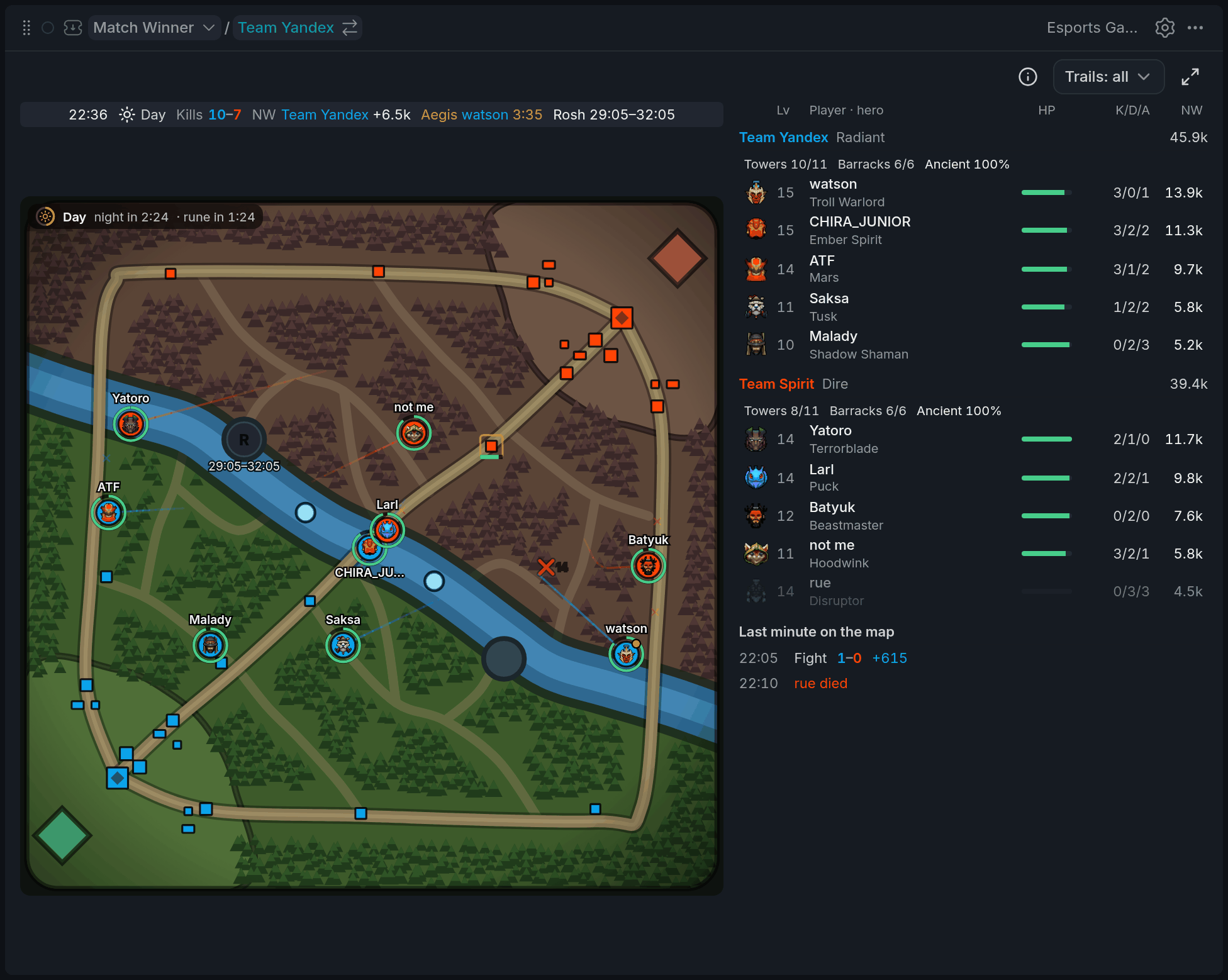
- 1Hero with HP ring
- 2Dead hero's respawn seconds
- 3A fight in Last minute
- 4ⓘ map key
On CS2, the log lists rounds newest first. Each kill shows the weapon and a headshot mark, and Opening tags the round's first kill. The time on the right is the round clock, or the bomb timer after a plant. On the radar, players are dots in their side's colour, a cross marks where someone died, and trails show the paths taken this round.
On Dota 2, the map shows heroes with an HP ring, deaths with the seconds to respawn, buildings under attack and fights in progress. The ⓘ button opens the map key.
Using it
Replay a round (CS2)
The radar can redraw any round your board watched live: where everyone went, who died where, and where each player was last seen. You can ask for a round from three places:
- the map icon next to a round in this log,
- a round in the round strip or the lead chart of Esports Match,
- Show on map in an opened round of the Esports Feed.
The Game Log switches to that map if needed, and the radar's header reads Round 14 · replay with who won it. Press Back to live to return; once the map is over it says Back to the end of the map. Rounds played before your board was open can't be replayed: their positions were never recorded. A page reload keeps what was.
Follow players
Hover a log line to light up its players on the radar, and click it to keep them lit. Click a name, or pick one under the radar, to follow that player: set Trails to selected and you'll see only their path. Picking one in Esports Players works too.
On Dota 2, hover a hero or an event to find it on the map, and click a hero for their card with items and abilities.
Tips
- Keep the Game Log beside Esports Match. When a round moves the price on the lead chart, click it and watch on the radar how it was won.
- In a clutch, pick the last player standing and set Trails to selected: you'll see exactly where they've been.
Finish reading to complete this lesson
Extras
Radar controls (CS2)
| Control | What it does |
|---|---|
| Trails | All players, only the selected one, or none. |
| Enlarge minimap | Opens the radar big, on its own. |
| Eye button | Hides or shows the radar. |
| Upper / Lower | Switches floors on maps with two levels. |
| Game log / Map | On a narrow widget, switches between the log and the radar. |
Wide Dota 2 map
On a wide widget, the heroes and the last minute's deaths and fallen buildings sit beside the map. Hover a line there to find it on the map.
Reading the log
| What | What it means |
|---|---|
A clock range like 1:12–1:05 | The event happened between two updates; the range is the round clock in between. |
≈ order | The order of events in this part of the round is approximate. |
→ ? | Several players got kills at once, so who killed whom isn't known. |
Settings
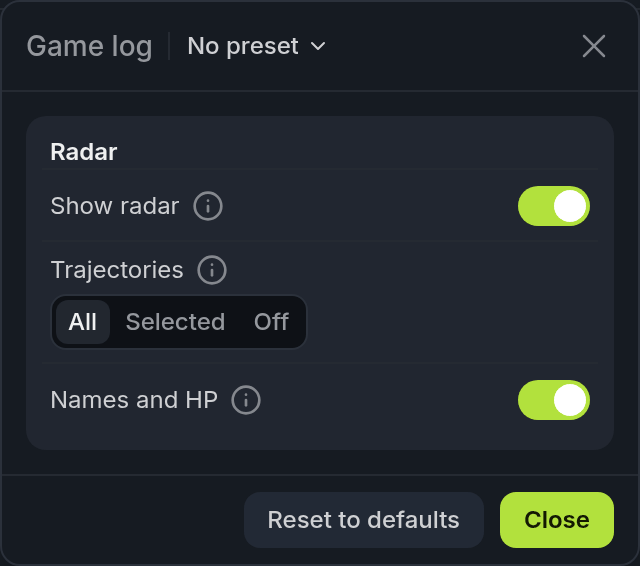
| Setting | What it does |
|---|---|
| Show radar | The CS2 radar next to the log. The eye button does the same. |
| Trajectories | Trails for all players, only the selected one, or none. On Dota 2 they cover the last minute. |
| Names and HP | Labels next to the dots when there's room. Hover a dot to see them anyway. |