Chapter 2 · Discovery · Lesson 4 · 3 min
Post Scanner
Every open post-count market in one table, with a forecast of the final count and the best edge.
Post Scanner lists every market on how many posts an account makes in a window, grouped by account. It counts the posts so far, forecasts the final count and shows where prices look off.
What you see
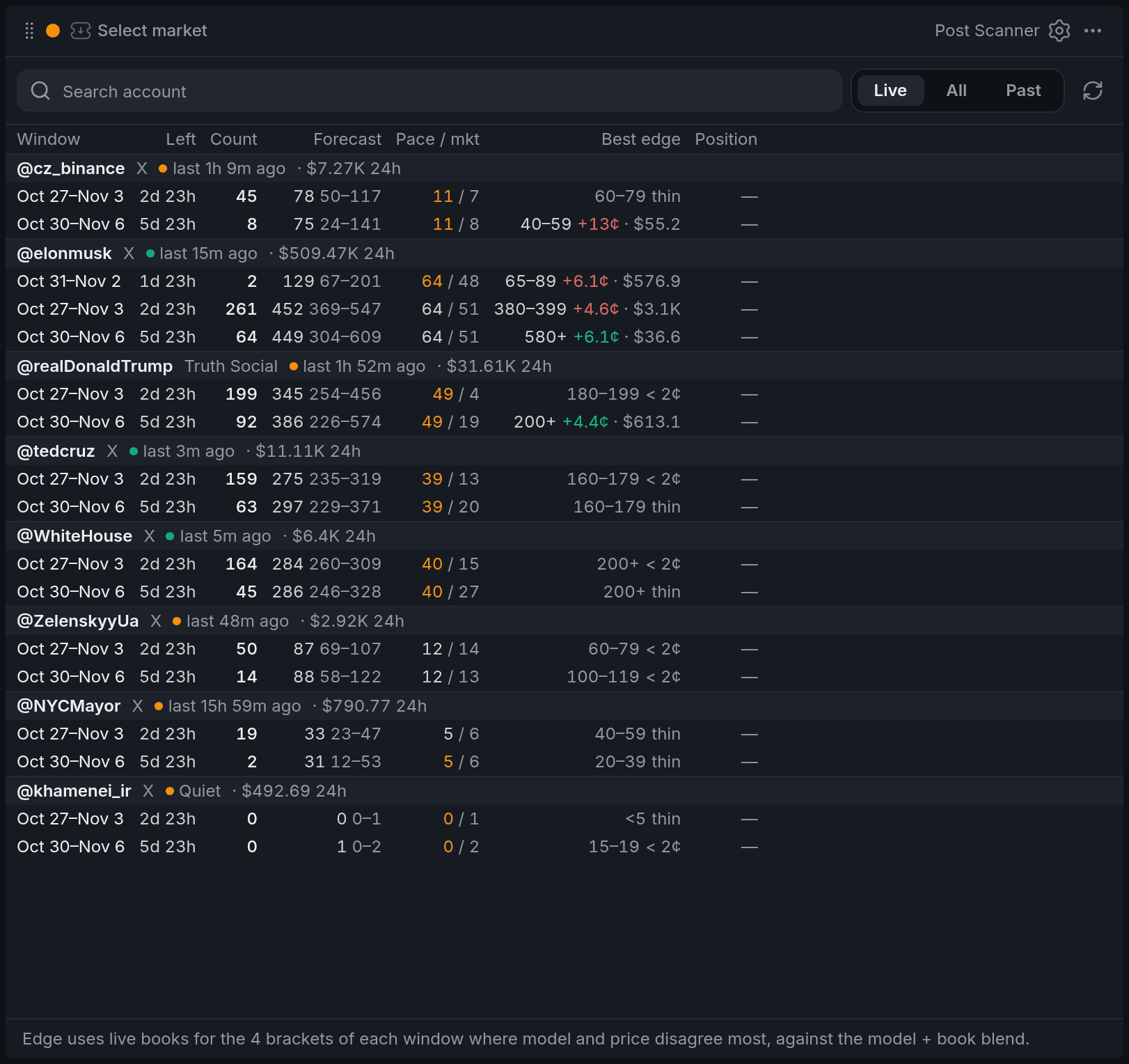
- 1Account: posting, last post, 24h volume
- 2Forecast and range
- 3Orange pace / mkt
- 4Best edge: bracket, cents, dollars
- 5Grey edge: why it doesn't count
Each account's header shows whether it's posting, quiet or maybe asleep, how long since its last post, and its 24h volume. A Burst badge appears when the last hour brought 2.5 times the usual posts for that hour.
Under it, one row per window: posts so far, the forecast final count with its likely range, and the pace in posts per day, ours next to the book's. Pace turns orange when they differ by more than 25%.
Best edge names the bracketBracketOne range of values in a market with many options, like "24–25°C" in a city's temperature market. Each bracket trades as its own Yes/No market. with the biggest gap, its edgeEdgeHow much cheaper a side trades than its fair price, in cents. A positive edge means the price looks too low for what the outcome is worth. in cents and the dollars on offer there: green for Yes, red for No. A grey edge says why it doesn't count: under your threshold, a thin market, or too little size.
Using it
Find the edge
The list sorts by edge, so the accounts with the best openings sit at the top. The order refreshes every 10 seconds rather than on every tick, so rows don't jump while you read.
Click a window and the widgets in its colour switch to it. With a highlighted edge, they open that bracket on the edge's side, ready to trade.
Edge is only as good as the forecast, and an account can go quiet or burst at any time. Treat it as a lead, not a sure thing.
Live, upcoming and past
Live shows windows that are counting now. All adds windows that haven't opened yet, marked soon. Past shows the windows that closed on a date you pick, with the winning bracket.
Your positions
Windows you hold show your position and order counts, and the toolbar sums their P&L at the bid. A held window stays listed until it resolves.
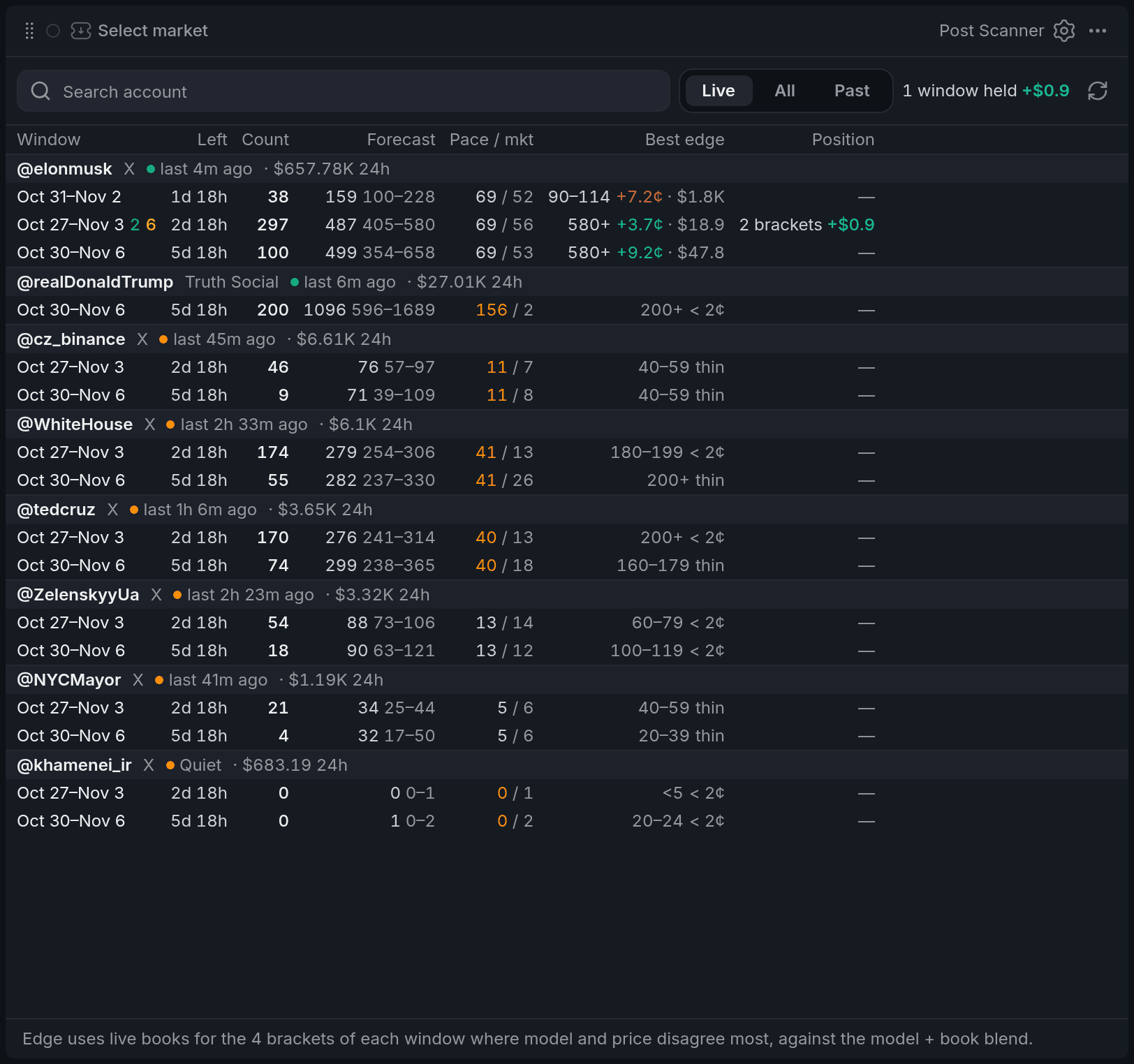
- 1Windows held, P&L at the bid
- 2Green: your positions
- 3Orange: your open orders
- 4Position cell
With other widgets
- Post Counter in the same colour shows every bracket of the window you click, and the Betslip opens on the edge's side.
- Post Feed in the same colour shows the account's posts as they land.
Tips
- Before trading an edge, check the neighbouring brackets in Post Counter. If the forecast range spans several, the edge is a bet on the model being right.
- Keep Fair price on Blend in settings. Model shows bigger edges, but they're less reliable.
- Switch the sort to Ending in settings to work the windows about to close. Their forecasts are the tightest, and a few posts decide the bracket.
Finish reading to complete this lesson
Extras
Columns
| Column | What it shows |
|---|---|
| Window | The dates the posts are counted over, in US Eastern time like the market titles. |
| Left | Time until the window ends, or until it opens. |
| Count | Posts counted so far. Hover to see which bracket that falls in. |
| Forecast | The expected final count and the range it lands in 8 times out of 10. |
| Pace / mkt | Posts per day: our forecast, then what the book prices in. |
| Best edge | The bracket, side and cents of edge, and the dollars on offer at that edge. |
| Position | What you hold in the window and its P&L at the bid. |
You can hide any column except Window in settings. A small dot beside a window means a widget in another colour has it open.
How edge is worked out
The fair price is half the forecast and half the book's price by default, which tested better on past windows than either alone. Edge is that fair price minus the best ask, in cents, for the side with the bigger gap. Each window checks live books for the 4 brackets where forecast and price disagree most.
Settings
| Setting | What it does |
|---|---|
| Windows | Live, All or Past, same as the toolbar. |
| Sort accounts | Edge, Ending or Volume. |
| Burst badge | Shows or hides the Burst badge. |
| Columns | Which columns the table shows. |
| Positions | Position counts, the Position column and the P&L total. |
| Open orders | Open order counts beside each window. |
| Fair price | Blend (half model, half book) or Model (the raw forecast, with bigger and less reliable edges). |
| Highlight edge from | The edge in cents below which it stays grey and doesn't pick the side a click opens. 2¢ by default. |
| Min volume 24h | Windows trading less than this a day show their edge grey and rank lower. $5,000 by default. |