Chapter 3 · Trading · Lesson 8 · 3 min
Combo Builder
Build a combo from sports markets, price it live, place it, and manage the combos you hold.
Combo Builder puts several picks into one bet: a comboComboOne bet built from several markets, called legs. Its YES pays only if every leg wins; its NO pays if any leg loses. pays only if every legLegOne market inside a combo, with the outcome it backs. wins. Pick legs from a sports scanner, see a live price for the whole thing, and place it. The same widget holds your open combos, ready-made combos and the day's biggest winners. It covers your whole account, so it needs no colour group.
What you see
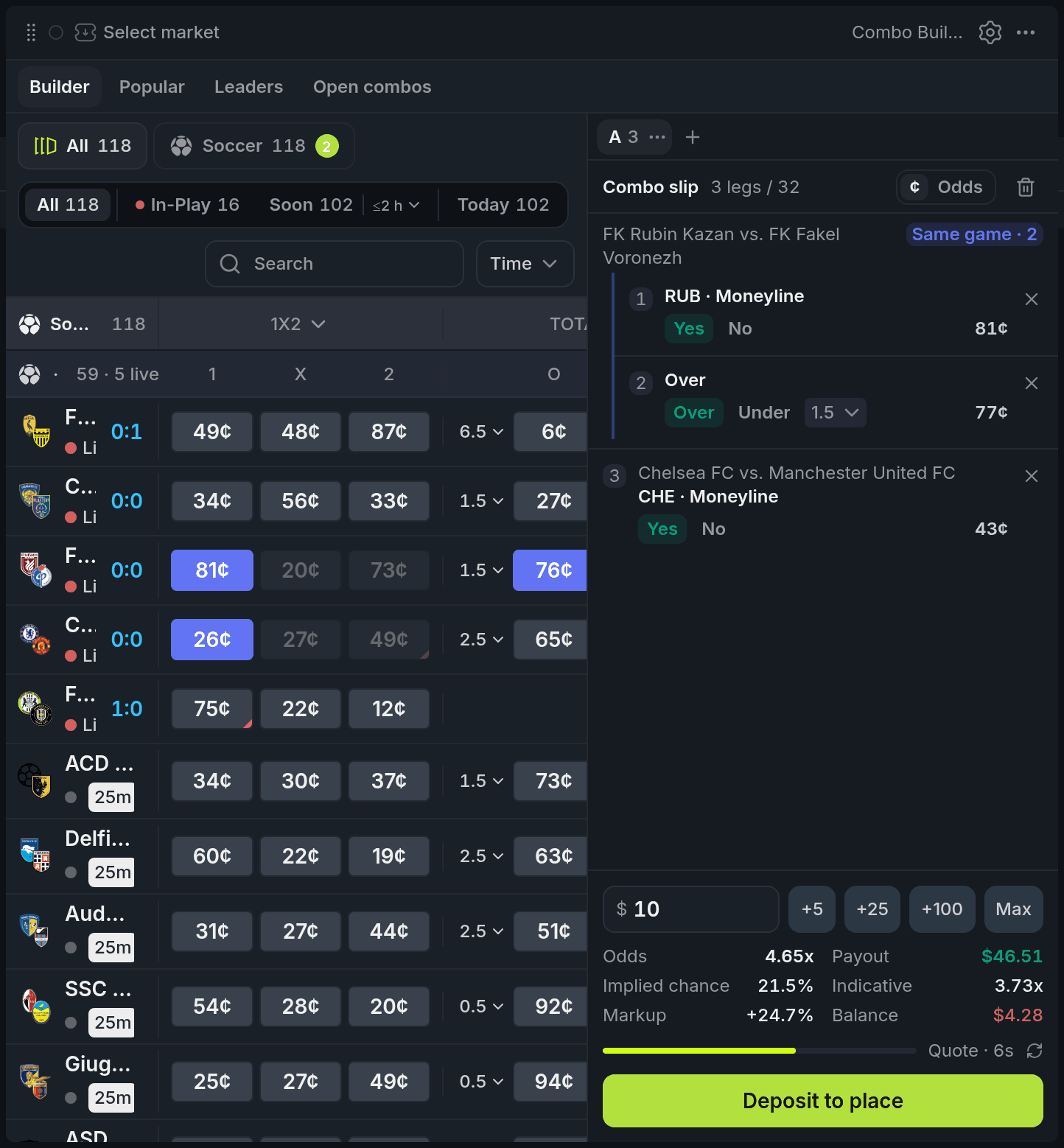
- 1Picked price
- 2Same game group
- 3Leg number and side buttons
- 4Odds, Payout, Indicative, Markup
- 5Quote timer and button
On a wide widget, the scanner sits on the left and the combo slip on the right. On a narrow one they become two tabs, Markets and Slip. The scanner is the Sports Scanner, limited to markets you can combine.
Legs from one game are grouped and tagged Same game, since their outcomes depend on each other. Under the legs, Odds and Payout come from the live quote, and Indicative is just the leg prices multiplied together. Markup is the gap between the two; it turns red when the quote is more than 10% worse.
Using it
Build and place a combo
Click prices in the scanner: each click adds a leg. Picks that contradict a leg you already hold are dimmed. From two legs on, the widget asks market makers for a live price, an RFQRFQA request for quote: a trader asks market makers for a price on a combo, and can take one of the quotes that come back., while you're logged in. A quote lasts a few seconds and refreshes on its own; a bar shows how long it has left. Enter a stake to see your payout.
Place combo buys at the quote on screen. It asks you to confirm first, with the stake and payout, unless you turn that off in settings.
You get the live quote, not the Indicative odds or the odds on the Popular tab. Check Odds and Payout right before you place.
Tune the slip
Each leg's side buttons flip it (Yes/No, Over/Under or the other team), and spreads and totals get a line menu. Click a leg's number to leave it out of the quote without removing it. Click its title to find its game in the scanner.
Open combos
Open combos lists what you hold, with stake, max payout and what it's worth now. Cash out sells a combo back at a fresh quote. Buy more loads its legs into the builder while none has resolved, and Claim collects a win.
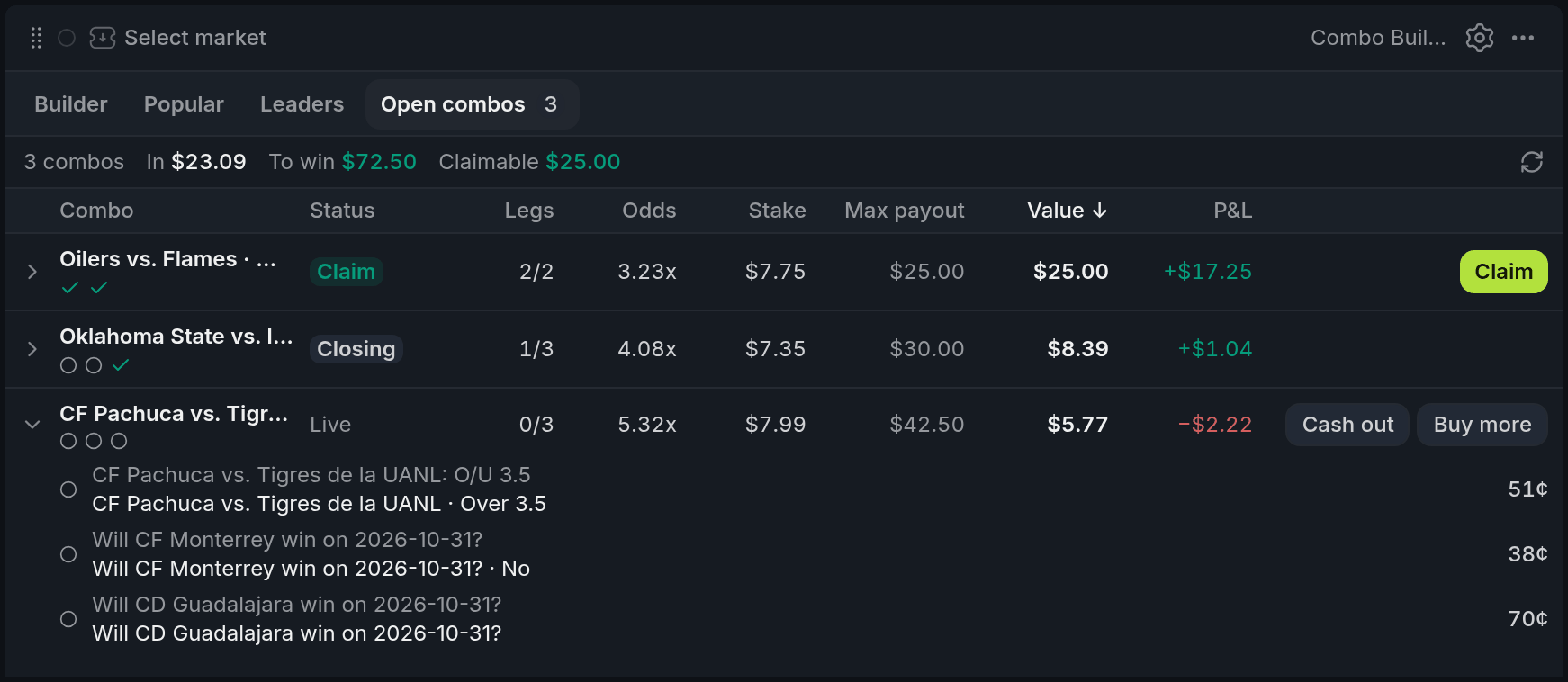
- 1Totals: In, To win, Claimable
- 2Value now and P&L
- 3Cash out at a fresh quote
- 4Buy more: legs back to the builder
- 5Claim the win
Tips
- Keep up to five slips as tabs above the legs, one per idea. Switching tabs keeps every slip's legs and stake.
- Not sure a leg is worth it? Click its number to switch it off and watch Odds change, then switch it back.
Finish reading to complete this lesson
Extras
Popular and Leaders
Popular lists ready-made combos with their indicative odds; To slip loads one into a new slip, and + adds its legs to the current one. Leaders ranks winning combos by day or all time; open a trader to see their open combos and load one.
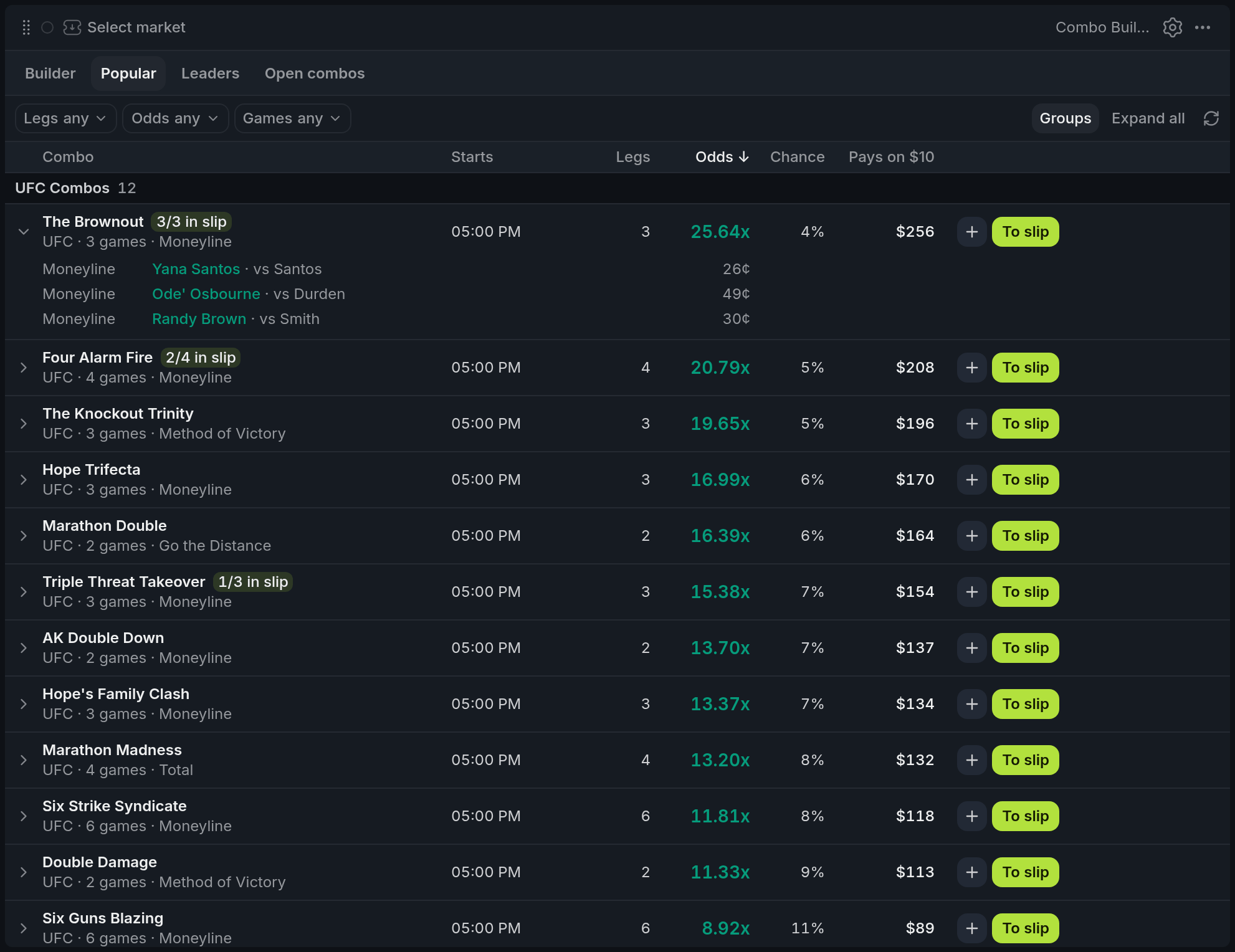
- 1League sections
- 2Legs / Odds / Games filters
- 3+ and To slip
- 4In slip tag
Slips
Add a slip with + next to the tabs. Double-click a tab to rename it; its menu duplicates or deletes it. Loading a combo from Popular, Leaders or Open combos opens it in a new slip when the current one has legs. With five slips already, it replaces the current one, and you can undo that. Clearing a slip can be undone.
Open combos statuses
| Status | What it means |
|---|---|
| Live | Still in play. Cash out or, if no leg has resolved, buy more. |
| Closing | Being closed; nothing to do until it settles. |
| Claim | Won and ready to collect. Claim all collects every win at once. |
| Won, Lost | Settled. |
Value is an estimate from the legs' current prices; the cash-out quote is what you actually get.
Settings
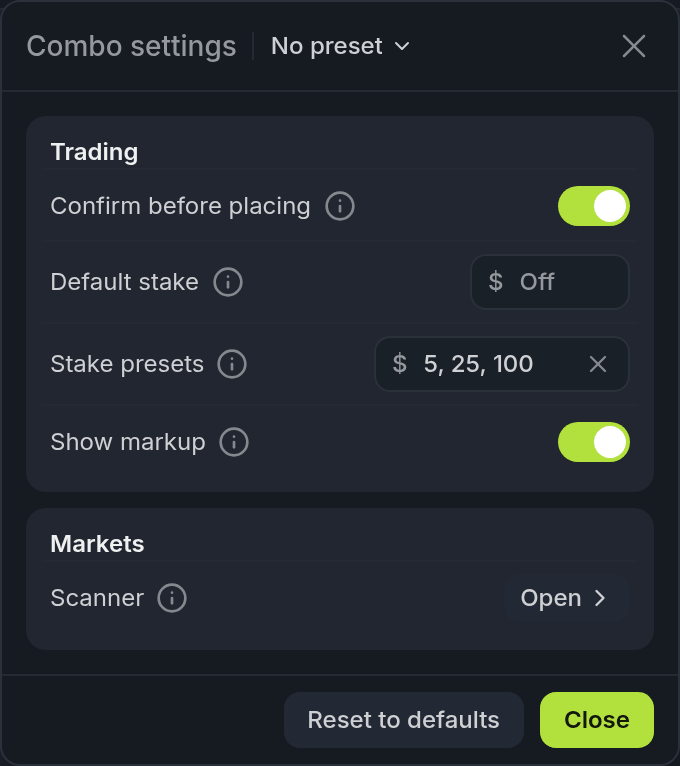
| Setting | What it does |
|---|---|
| Confirm before placing | Asks once more with the stake and payout. |
| Default stake | Prefilled in a fresh slip. |
| Stake presets | Up to four quick amounts under the stake field. The default is $5, $25 and $100. |
| Show markup | The Markup line in the slip. |
| Scanner | Opens the scanner's own settings: columns, logos, rows and grouping. |
The ¢ / Odds switch in the slip header shows leg prices in cents or decimal odds.