Chapter 3 · Trading · Lesson 7 · 2 min
Order Fills
Every fill on your account, by time or by market, with what you spent and received.
Order Fills lists every fillFillAn order, or part of one, that has been executed. on your account: each time one of your orders traded, at what price and for how much. It covers all your markets, so it answers "what did I actually trade today?" at a glance.
What you see
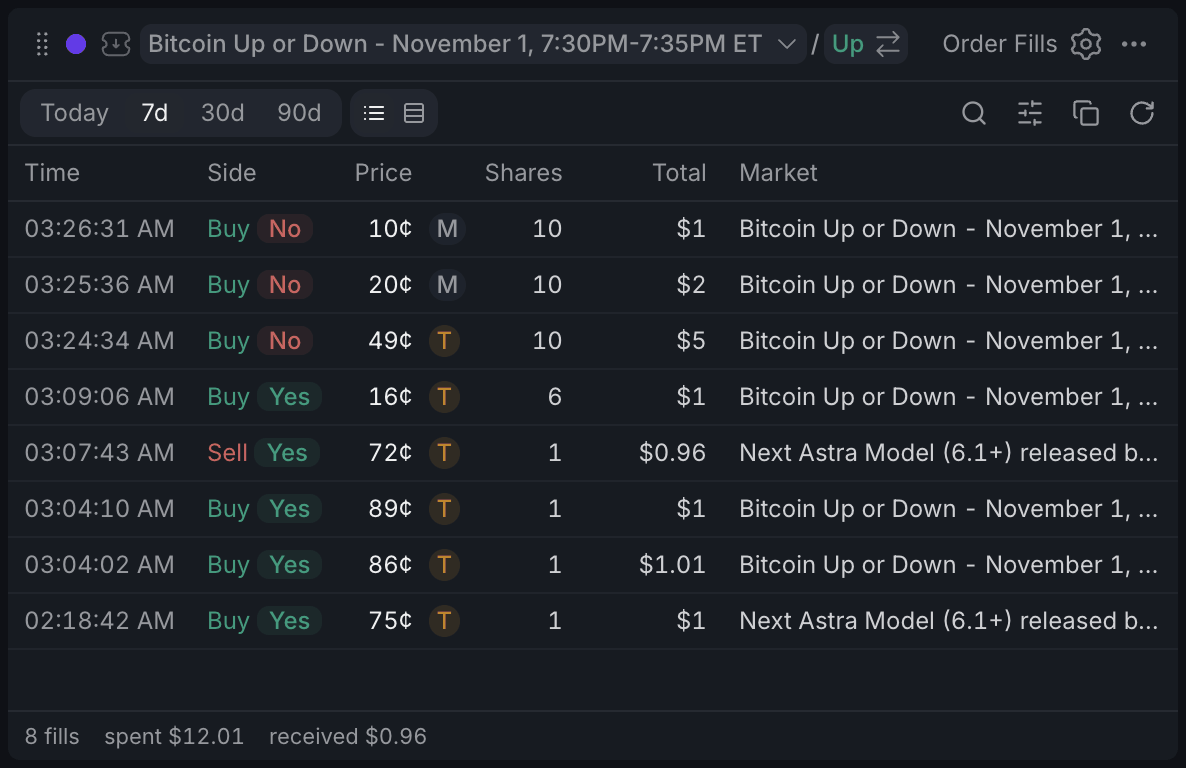
- 1Pick the period
- 2Buy or Sell, and the outcome
- 3M: maker, T: taker
- 4What you spent and received
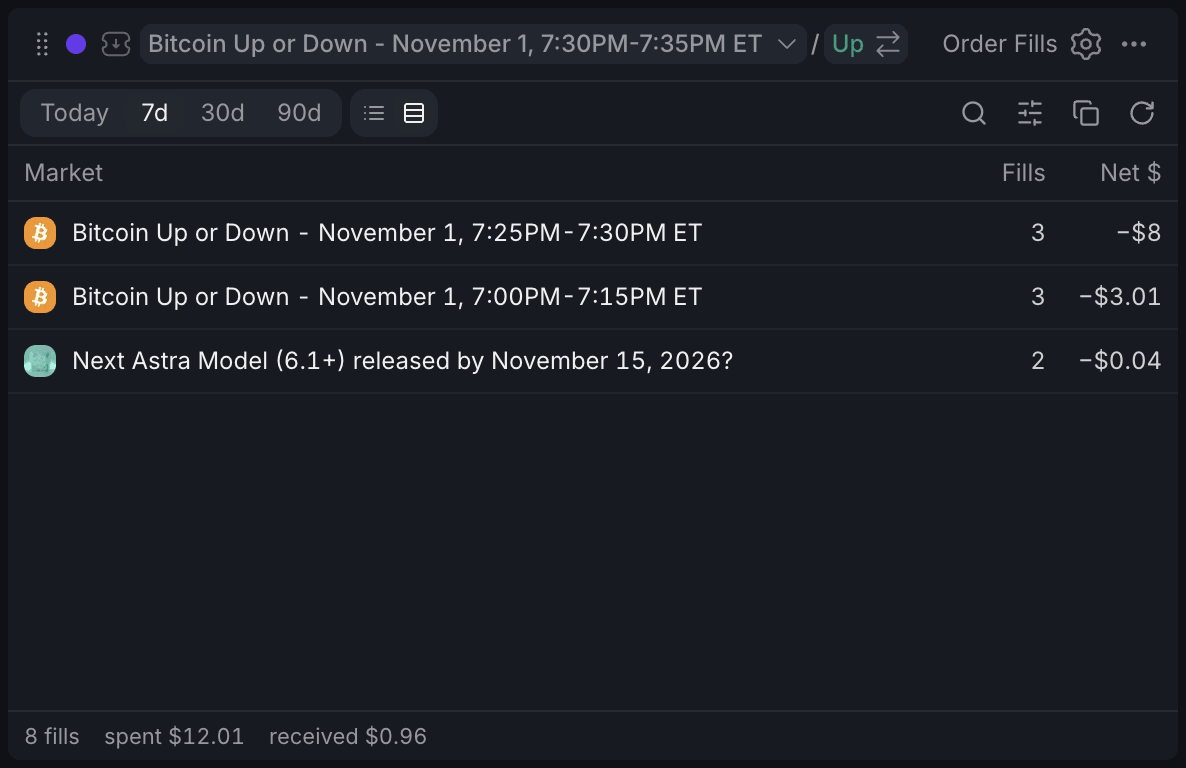
- 1Switch view here
- 2Net $: received minus spent
In the Fills view each row is one fill: the time, Buy or Sell with the outcome, the price in cents, the shares and the total in $. The small mark next to the price says whether you were the makerMakerThe side of a trade whose order was already resting in the book and got filled. (M, your resting order got hit) or the takerTakerThe side of a trade that crossed the spread and took an order already in the book. (T in amber, your order crossed the book).
The By market view folds the same fills into one row per market: how many fills and Net $: what you received minus what you spent. Net $ is cash flow, not profit: buying into a position shows as negative until you sell.
The footer adds up the fills in view: how many, how much you spent on buys and how much you received from sells.
Using it
Picking a period and narrowing down
Pick Today, 7d, 30d or 90d at the top left. The search looks through market names, and the filters button narrows by market, side and role; its badge counts the filters that are on.
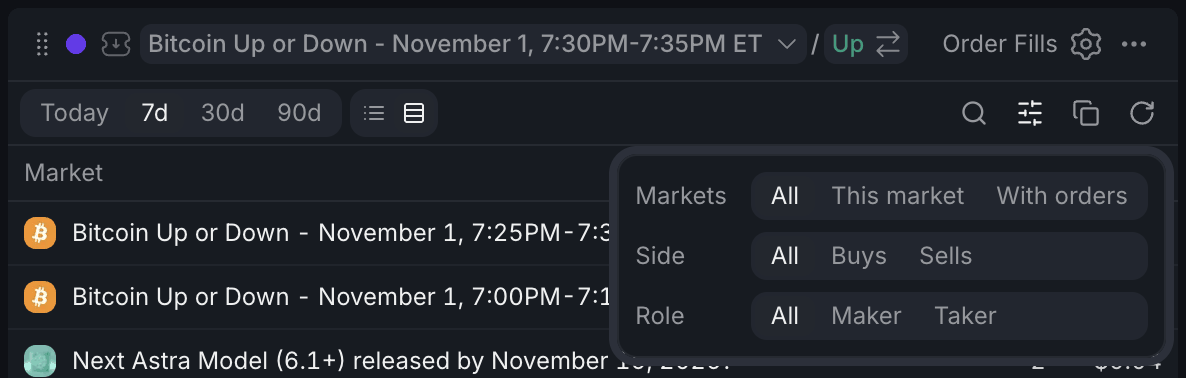
- 1With orders: markets you have orders in
- 2Role: maker or taker
With orders under Markets is the handy one: it keeps only markets where you have resting orders right now, so you see how the orders you're running are getting filled.
Exporting
Copy as CSV puts the fills in view on your clipboard, filters applied, ready to paste into a spreadsheet.
With other widgets
- Click a row and its market becomes your colour's market, so the chart, book and betslip in that colour switch to it. A stripe marks the rows of the colour's current market, and This market under Markets shows only its fills.
- Orders shows what's still resting; Positions shows what your fills add up to, with P&L.
Tips
- Running quotes on a few markets? Combine With orders and By market to see which ones fill and how cash is flowing on each.
- Set Hide small fills to $1+ in settings when dust trades clutter the list.
- Before copying a CSV for a tax tool, pick 90d and scroll to the bottom first: only loaded fills are copied.
Finish reading to complete this lesson
Extras
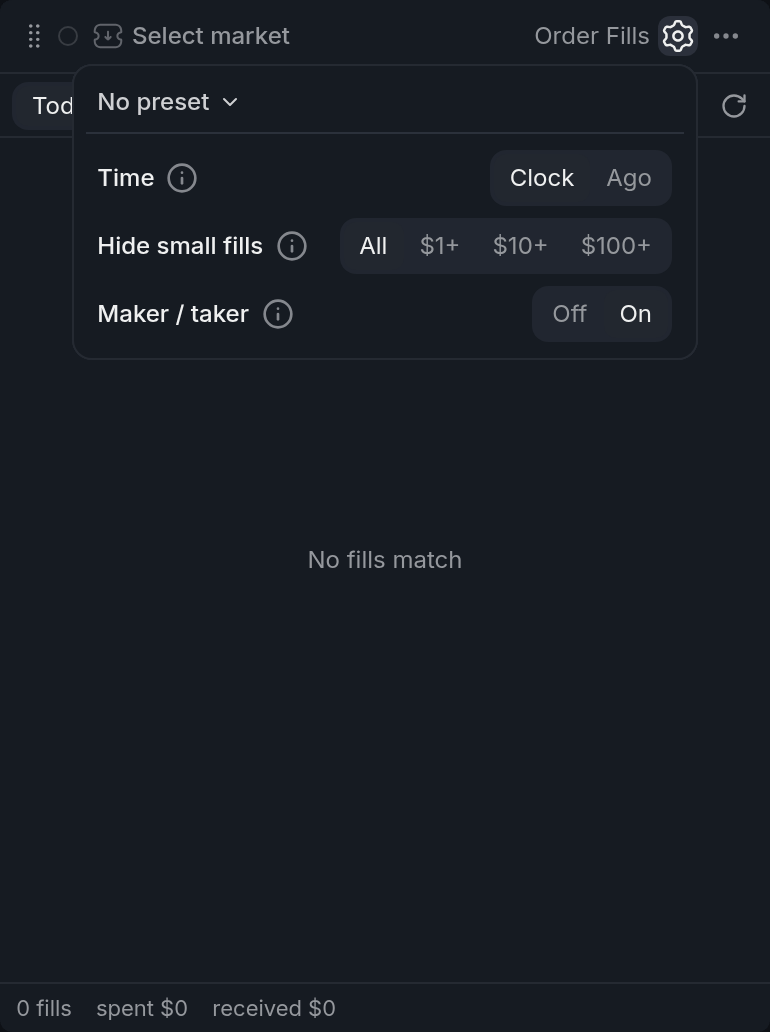
Settings
| Setting | What it does |
|---|---|
| Time | Clock shows the time of day (with the date for earlier days), Ago shows how long ago. |
| Hide small fills | Leaves out fills under $1, $10 or $100. |
| Maker / taker | Shows the M / T mark and the role filter. Off hides both. |
Good to know
- Today starts at midnight UTC, not at your local midnight.
- Fills load as you scroll. Until the list reaches the start of the period, the totals cover only what has loaded, and a line under the list says so.
- Hover a row to see its full date and time.